Mix Lock
Peak Time Trance Edition

The mixing system that
reads your Ableton session.

Mix Lock is a desktop companion for peak time trance producers — a live bridge to Ableton Live that sees every macro, every compressor, every level as you work. It tells you what each control is for, what to listen for at every position, and what to fix when something sounds wrong. Built around a 43-channel template, 13 gated mix stages, and 400 documented decisions. No more guessing what a knob does. No more generic mixing advice.

Get Mix Lock → See what's inside
43
Live Channels
13
Mix Stages
400
Encyclopedia
307
Techniques
300
Problems
217
Glossary
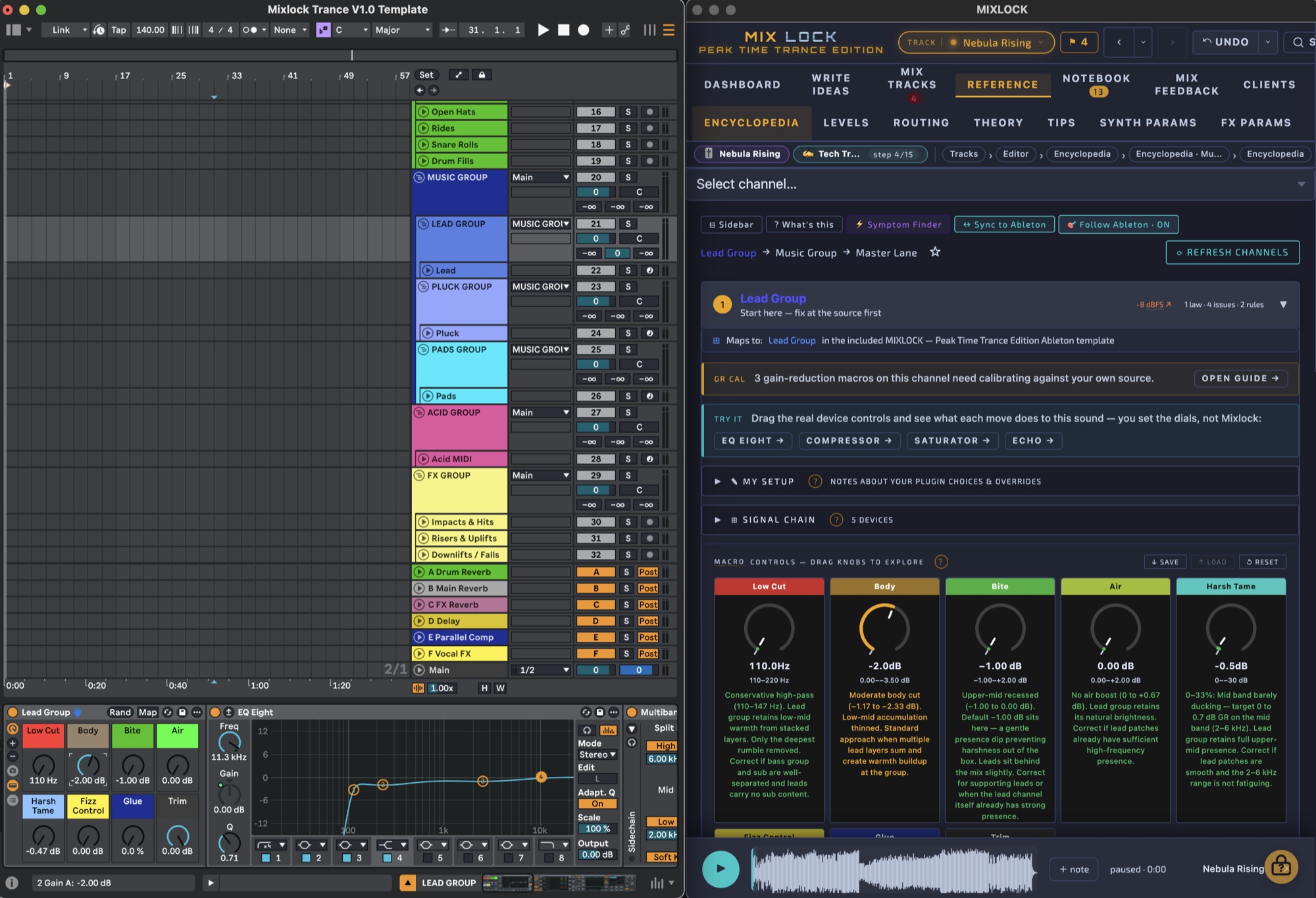
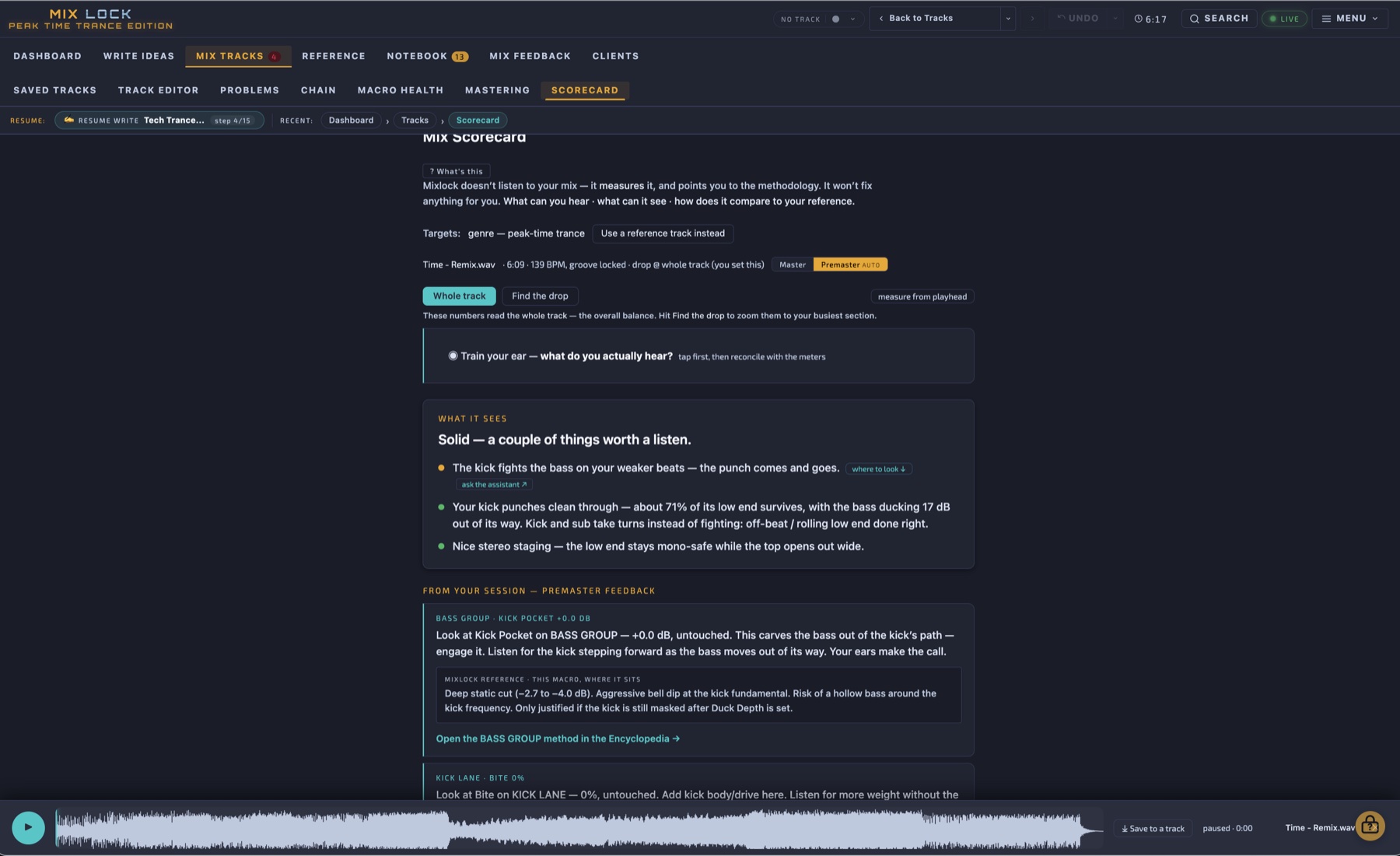
Mix Lock — Encyclopedia view with Ableton Bridge connected
Watch a demo

Mix Lock at work

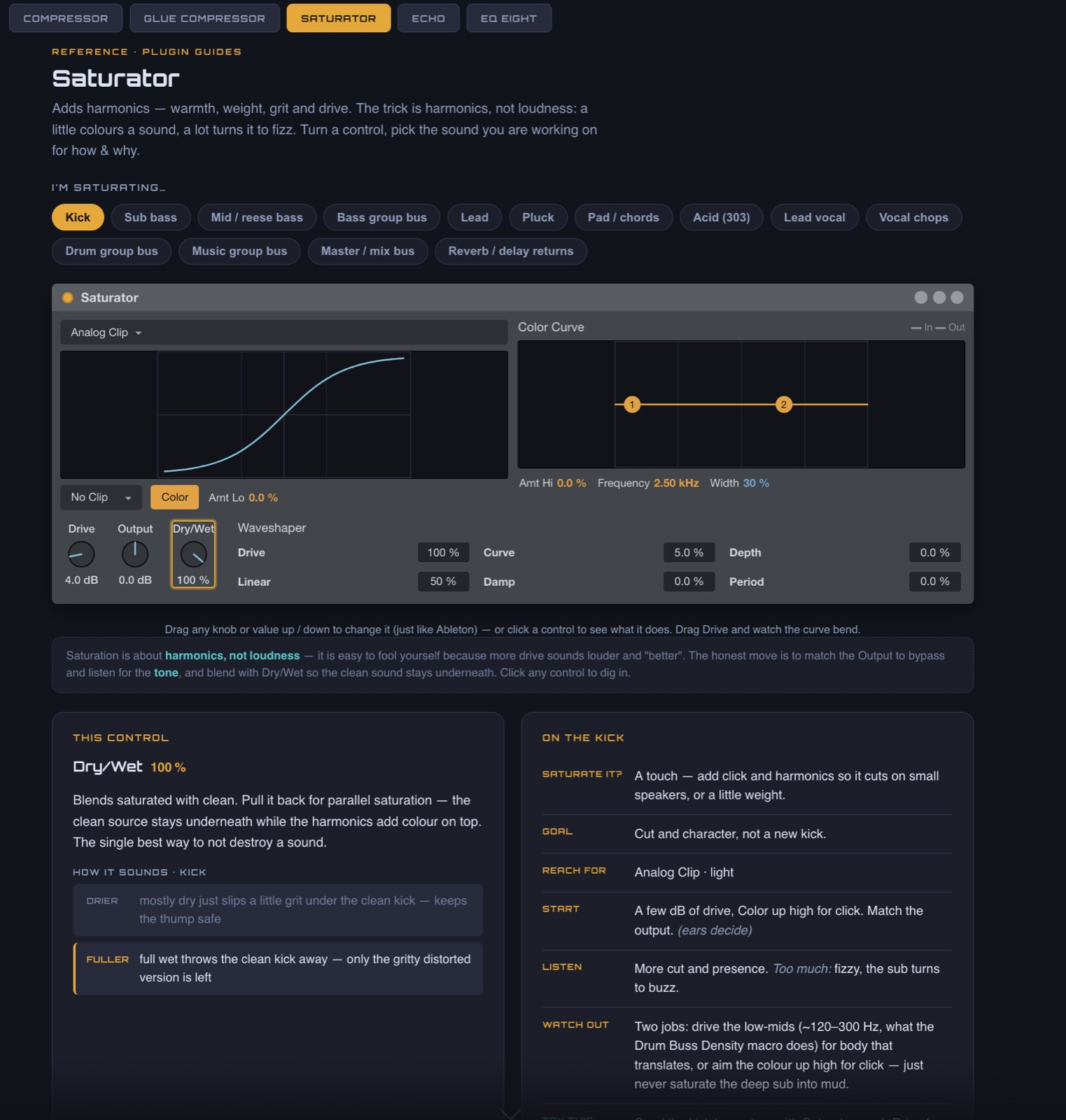
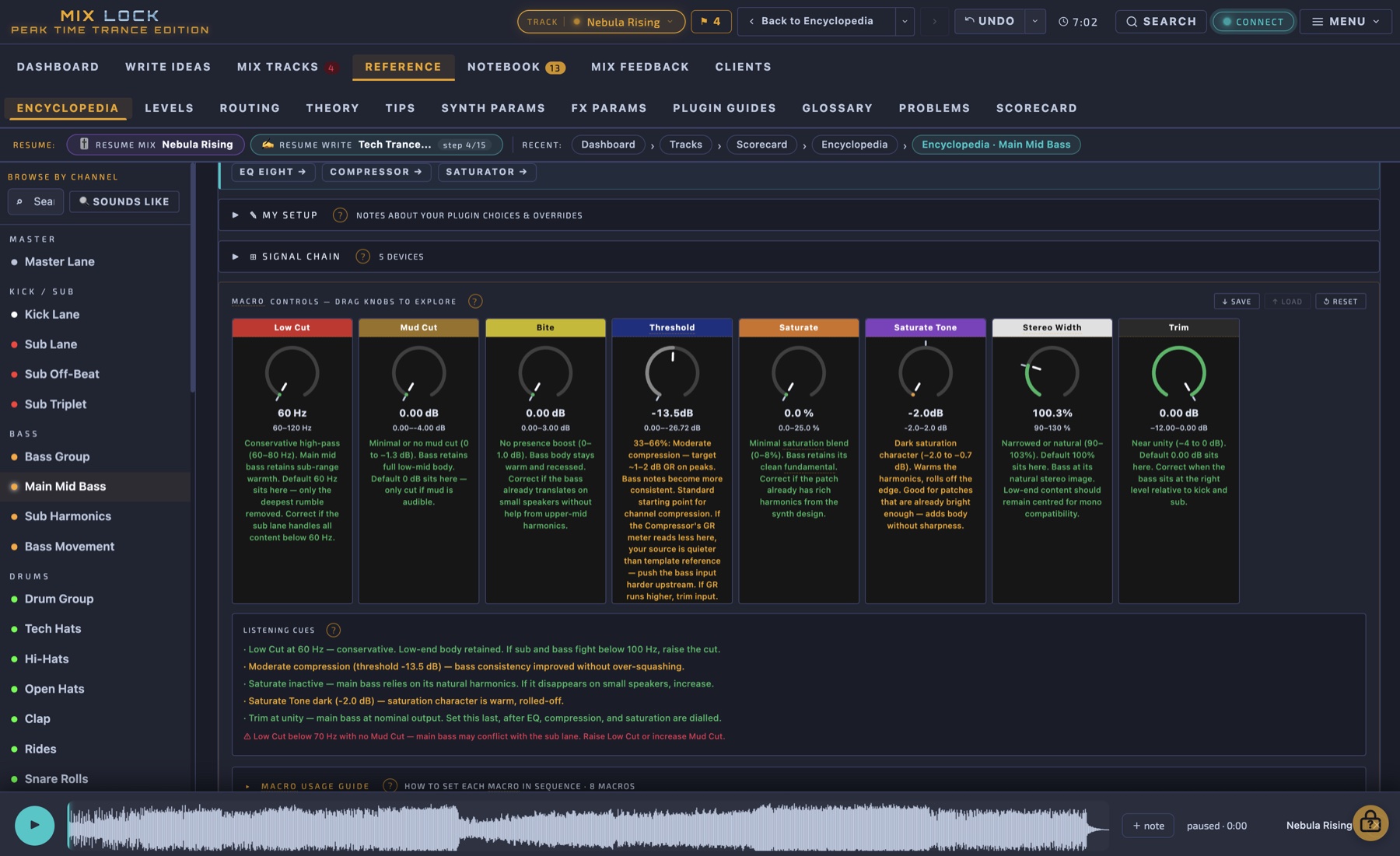
The macros in Mix Lock are mixing tools, not sound-design tools — deliberately subtle, designed to fit finished sounds together rather than create new ones. This is what those controls actually look like in practice.

→ Watch on YouTube

A mixing system that watches over your shoulder.

Most trance producers learn by trial and error — watching tutorials, copying settings, and never quite knowing why something works. Mix Lock is the opposite. Every decision has a documented reason. Every macro has a calibrated default and a listening cue for every position on the dial. Every problem has a known fix path mapped to a specific channel.

It runs as a desktop app on Mac and Windows alongside your DAW — not as a plugin, not as a tutorial library, but as a live link to your Ableton session. Touch a macro in Live, Mix Lock follows. Open a channel in Mix Lock, see exactly what every macro does at every position, what the calibrated default is, and how far you've drifted from it.

Built around peak time trance at 136–142 BPM. 43 channels covering kick, sub, bass tier, drum group, music elements (lead, pluck, pads, acid), FX/atmos, returns, and a vocal subset for tracks that use vocals. 13 gated mix stages from session setup to print + QC. 400 encyclopedia entries, 306 production techniques, 300 documented problems, 217 glossary terms. Calibrated, indexed, cross-linked.

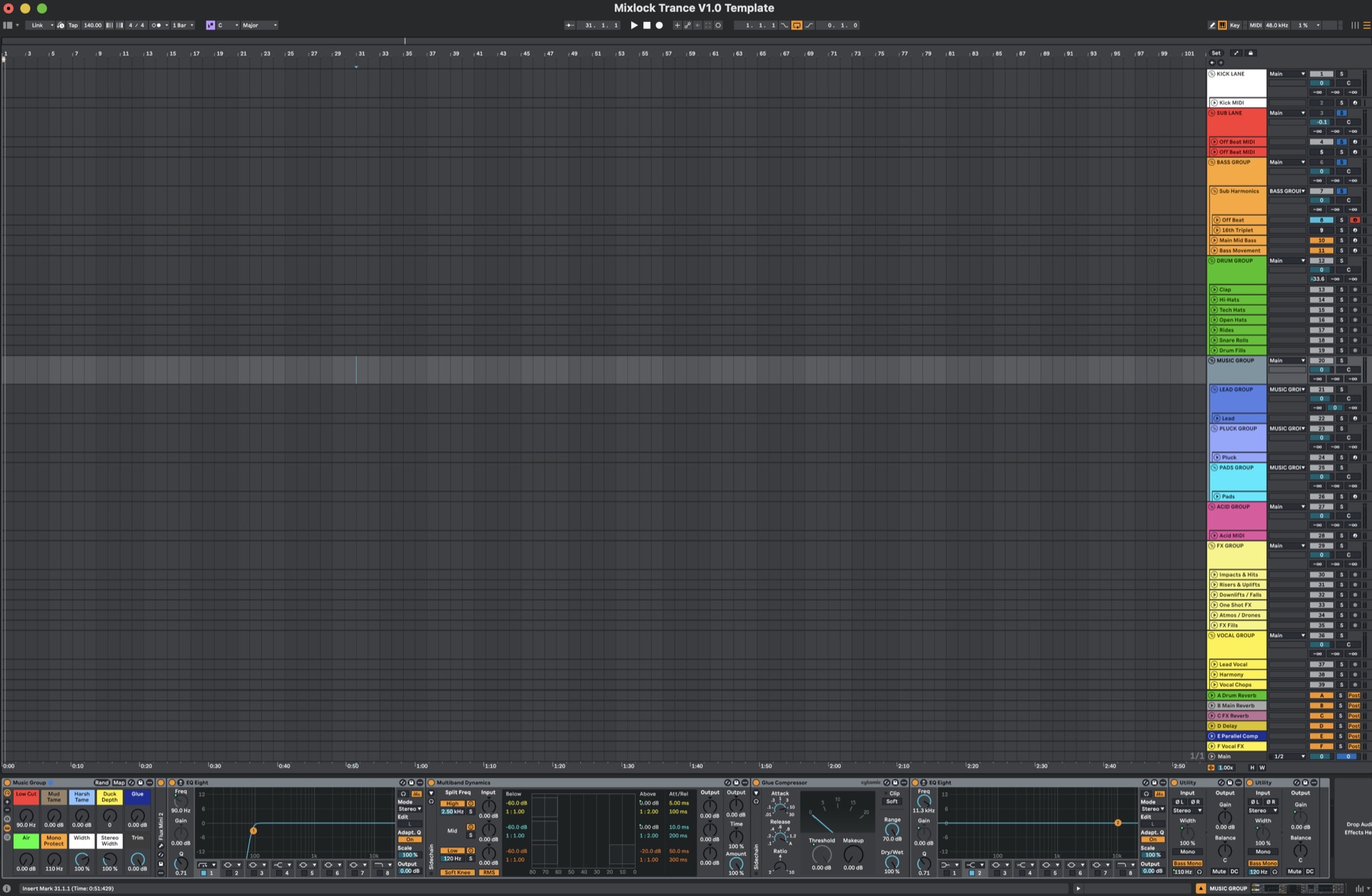
The template ships for Ableton Live (full racks, all macros pre-mapped). For Logic Pro, every plugin setting is documented so you can rebuild the chain natively. For any other DAW — FL Studio, Cubase, Bitwig, Studio One, Reaper — the parameter values translate directly.

Mix Lock is an independent product. Not a software company, not affiliated with Ableton, any label, or any other brand. Built by one trance producer over two years.

Live Ableton bridge
A control-surface link reads every macro position from Live in real time — Mix Lock follows what you're touching
13 gated mix stages
From session setup to print. Each stage signs off before the next unlocks. Nothing gets skipped under deadline pressure.
Symptom-first diagnostics
300 documented problems searchable by what you hear. "Kick disappears in the drop" → channels, causes, fixes
Context-aware AI
Built-in assistant powered by your Gemini key — knows your track, your stage, and the entire Mix Lock methodology

This isn't for everyone.

If you mix purely by ear and it works — genuinely, that's something to be admired. Pure instinct, no system, the right decisions just happen. That takes years to develop and some people never get there. If that describes you, Mix Lock will feel like noise. You don't need it.

Same if you're happy where you are. If you have no real interest in understanding why something works — only whether it does — that is a completely valid way to make music. Keep doing it. Mix Lock isn't built for that approach and won't pretend otherwise.

for the rest of us

Mix Lock won't get you signed.
It will make you the producer who deserves to be.

Most of us hear that something's wrong and we reach for things — EQ, compression, a different plugin — and sometimes it works and sometimes it doesn't, and we don't always know why either way. That gap between what you hear and what you can do about it is where sessions stall and tracks get abandoned.

What Mix Lock does is close that gap — by making sure the same knowledge is applied consistently, every session. The same decisions, the same listening cues, the same workflow checks. That repetition is what builds real skill. Not passive watching. Not copying settings you don't understand. Doing it, in your own session, on your own track, with your ears.

Over time, the things you used to look up stop being things you look up. The framework becomes your instinct. That's the progression Mix Lock is designed to accelerate — not to shortcut it.

Three phases. One session alongside Ableton.

Mix Lock doesn't replace your DAW — it runs next to it. Each phase has a clear job. None of them get in the way of making music.

Phase 01 — Build

Make the track. Don't touch the macros yet.

Open your Ableton template and make music. Write, arrange, layer, experiment — the full creative process in your DAW, your way. The macros are there but you leave them alone.

The template loads with every macro at its calibrated default position and basic processing only — nothing shaped, nothing pushed. This is deliberate. What you hear is your raw production, honestly represented. That neutral baseline is the reference point the entire system is built from.

The macros are mixing tools, not sound design tools. Using them during the write to shape a sound might feel productive — but it breaks the reference. When it comes to mixing, you won't know where you started, the listening cues won't be accurate, and the context will be wrong. Leave them at default until you're ready to mix.

  • Template loads at calibrated default positions — leave them there
  • Use synth parameters and plugin settings to design your sounds
  • Macros activate in Phase 02 — not before
Phase 02 — Mix

Open Mix Lock alongside the session. Work through it together.

Now you open Mix Lock next to Ableton and work through the channels. Mix Lock gives you the listening cues — what to focus on, what to identify, what a problem in that channel actually sounds like.

When you find an issue, you use the macro to address it. Turn the dial in Live, listen to what changes. The Ableton bridge reads the position back into Mix Lock automatically — you don't manually log anything. Mix Lock shows you which zone of the macro you're in (low / mid / high) and how far you've drifted from the calibrated default. Green = safe zone. Amber = working. Red = pushed.

Every macro decision should be made with the full arrangement playing. Not in isolation. Not channel by channel in silence. The listening cues are calibrated for a full-mix context — a kick EQ call made with only the kick playing will be wrong the moment everything else arrives. Context is everything.

  • Listening cues tell you what to hear, not just what to do
  • Full arrangement playing — decisions made in context
  • Bridge syncs macro positions automatically — no manual logging
  • Macro health colours show how far you've drifted from default
Phase 03 — Export

Every dial position logged. Ready to export — or submit.

By the time you finish the mix, every macro position across every channel has been logged in Mix Lock. That is your track export — a complete snapshot of every mixing decision you made, in a format that can be read, reviewed, and used for feedback.

Keep it as your own record, or submit it alongside your audio for a Mix Lock feedback session — where the reviewer sees not just what came out, but exactly what was set when it did.

  • Track export = complete macro health snapshot
  • Reviewable record of every mixing decision
  • Submit for feedback or keep as your own session log

The four rules that make the system work

01

Start from the same place every time

Every macro has a calibrated default position. The template loads there. Don't move them during the write. The listening cues and the feedback are only accurate when the starting position is consistent — session to session, track to track.

02

The template has basic processing — by design

Nothing arrives pre-shaped or pushed. What you hear at the start of a session is your raw production, honestly represented. The macros are the mixing layer. The template is the neutral foundation they operate on.

03

Macros are for mixing. Not writing.

Use your synth parameters, plugin settings, and sound design tools during the write. Leave the macros alone until you mix. Touching them early breaks the reference, corrupts the starting position, and makes every subsequent decision less reliable.

04

Context is everything

Every macro call should be made with the full arrangement playing. Decisions made in isolation are wrong in context. The sub EQ, the kick transient, the reverb tail — they only tell you the truth when everything else is there with them.

Mix Lock runs on Mac and Windows as a standalone desktop app — open it in a window next to your DAW.
No plugins. No rewiring. No interruption to your Ableton session.

Every tool a trance producer needs

From the first idea through to the final print — the live link to Live, the calibrated template, the diagnostic engine, the reference book, the AI. All in one desktop app.

Mix Lock connected to Ableton Live
Ableton Bridge

Mix Lock reads your Live session in real time.

A live link between Mix Lock and Ableton Live. Turn a macro in your DAW, the value updates in Mix Lock instantly — no manual logging, no copy-pasting, no second-guessing. The session and the system stay in sync automatically while you mix.

Mix Lock shows you which zone of the macro you're in (low / mid / high), what to listen for at that position, and how far you've drifted from the calibrated default. The macro flag changes colour: green when you're close to default, amber as you push, red when you're at extreme. Honest, immediate feedback.

Live macro sync Position-aware listening cues Health colour feedback Stays on your machine Quick setup, no plugin
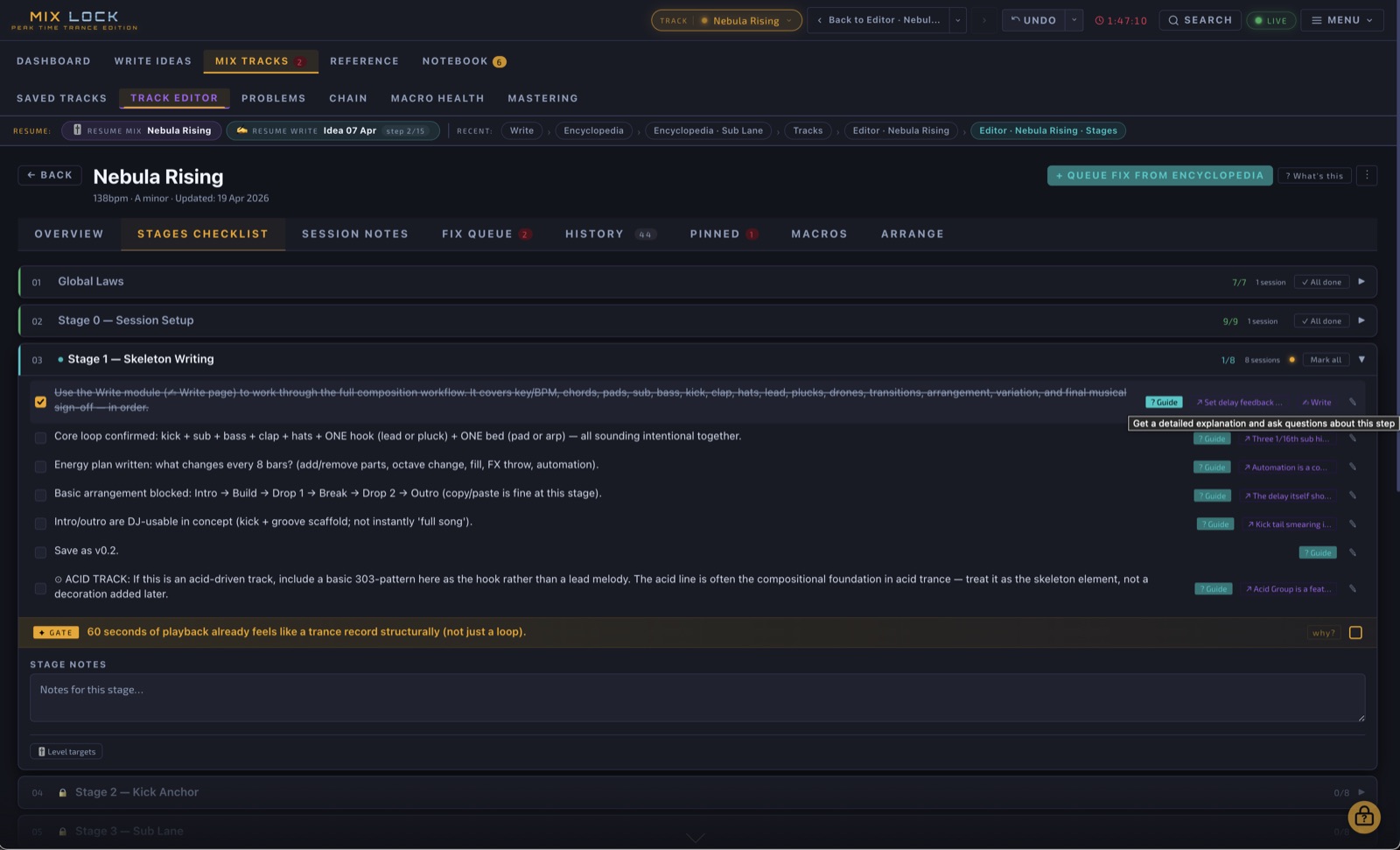
13 gated mixing stages
Workflow

13 gated mix stages. Nothing gets skipped under deadline pressure.

Stage 0 (Session Setup) → Stage 1 (Skeleton) → Stage 2 (Kick Anchor) → Stage 3 (Sub) → Stage 4 (Bass) → Stage 5 (Drums) → Stage 6 (Music Pass) → Stage 7 (Music Group) → Stage 8 (FX Returns) → Stage 9 (Arrangement) → Stage 10 (Mix Integrity) → Stage 11 (Reference) → Stage 12 (Print + QC). Each stage signs off before the next unlocks. Every checklist item is genre-specific and decision-grade.

Plus Global Laws — the always-on rules that apply across every stage: gain staging, mono compatibility, headroom, the no-touch rules. The framework that holds the whole mix together.

Stage checkpoints Sign-off gates Progress tracking Global Laws layer
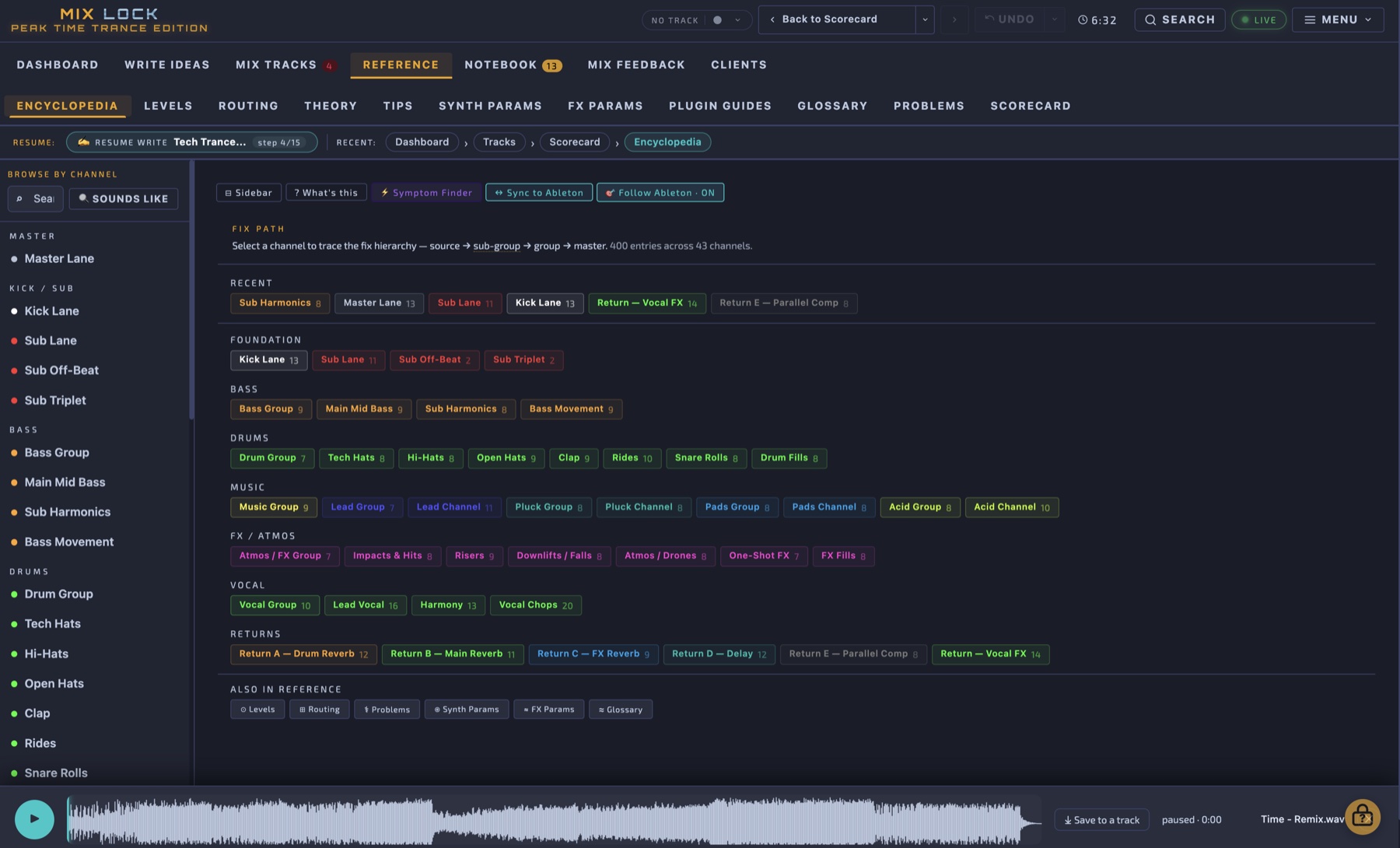
Mix Lock Encyclopedia
Reference

400 encyclopedia entries. Every channel, every macro, every decision.

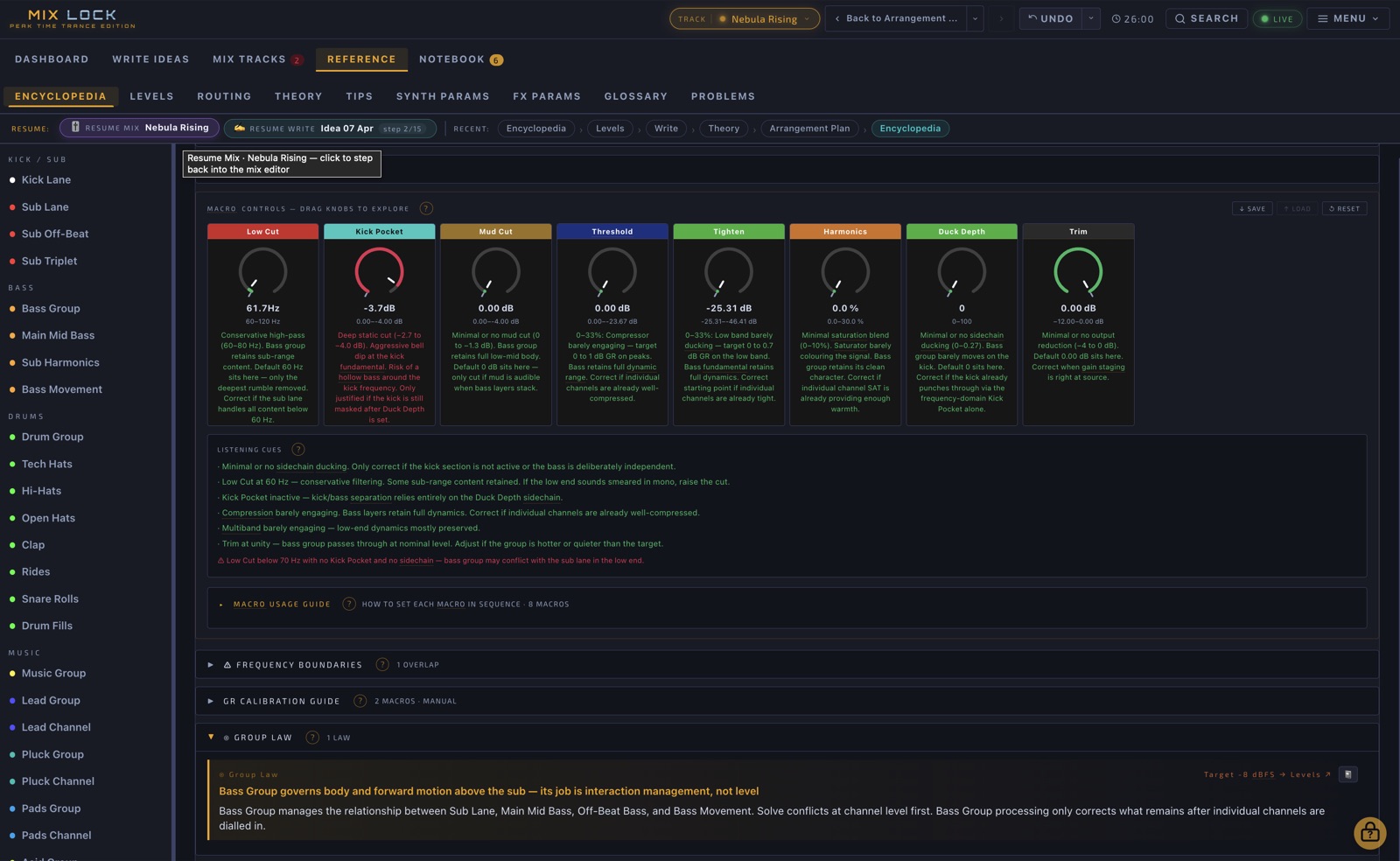
The Encyclopedia is the reference book Mix Lock is built on. Every channel has a full entry: signal chain in order, every macro with its calibrated default and listening cues for low/mid/high zones, problem maps, fix paths, alternative-DAW translations (Logic and generic), and cross-links to every other entry that touches the same content.

Three ways in: Browse by Channel (the 43-channel sidebar), Sounds Like / Looks Like (find channels with similar signal chains), and Symptom Finder (search by what you hear — described below).

400 entries 43 channels covered Signal chain order Logic + Generic alternatives Cross-linked entries
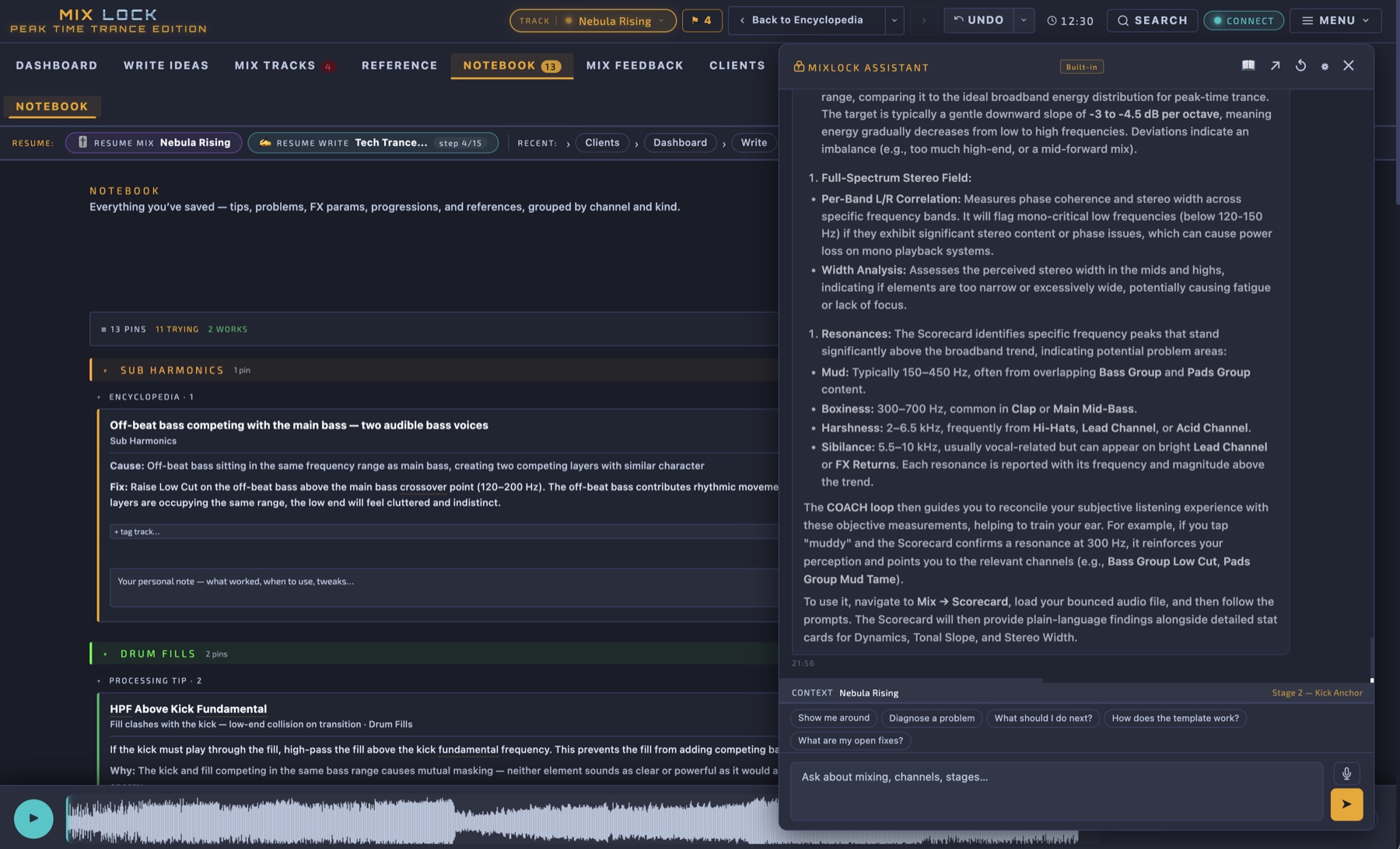
Mix Lock Assistant chat panel
AI Assistant

An assistant that knows your session.

Powered by Google Gemini and grounded in the Mix Lock encyclopedia. Bring your own free Gemini API key — no subscription, no data leaves your machine for anyone but Google. The assistant knows what stage you're in, what track you're working on, what you just did, and the entire Mix Lock methodology. Ask "why does Stage 3 come before Stage 4?" or "what's wrong with my kick if it disappears in the drop?" — and get an answer rooted in context, not a generic web search.

Context-aware Encyclopedia-grounded Free Gemini key Resizable panel Conversation history
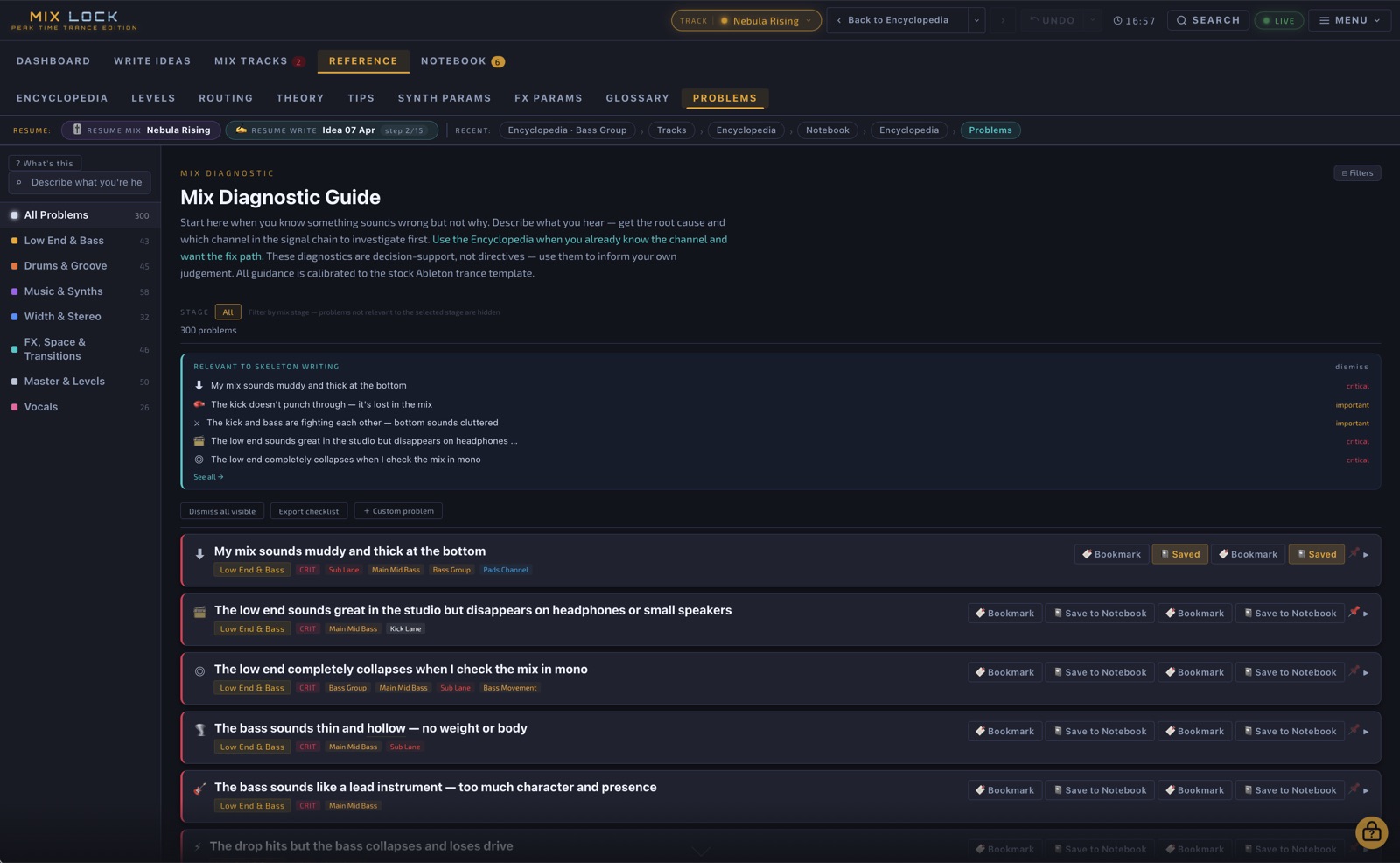
Symptom Finder
Diagnostics

Type what you hear. Get the channels and the fixes.

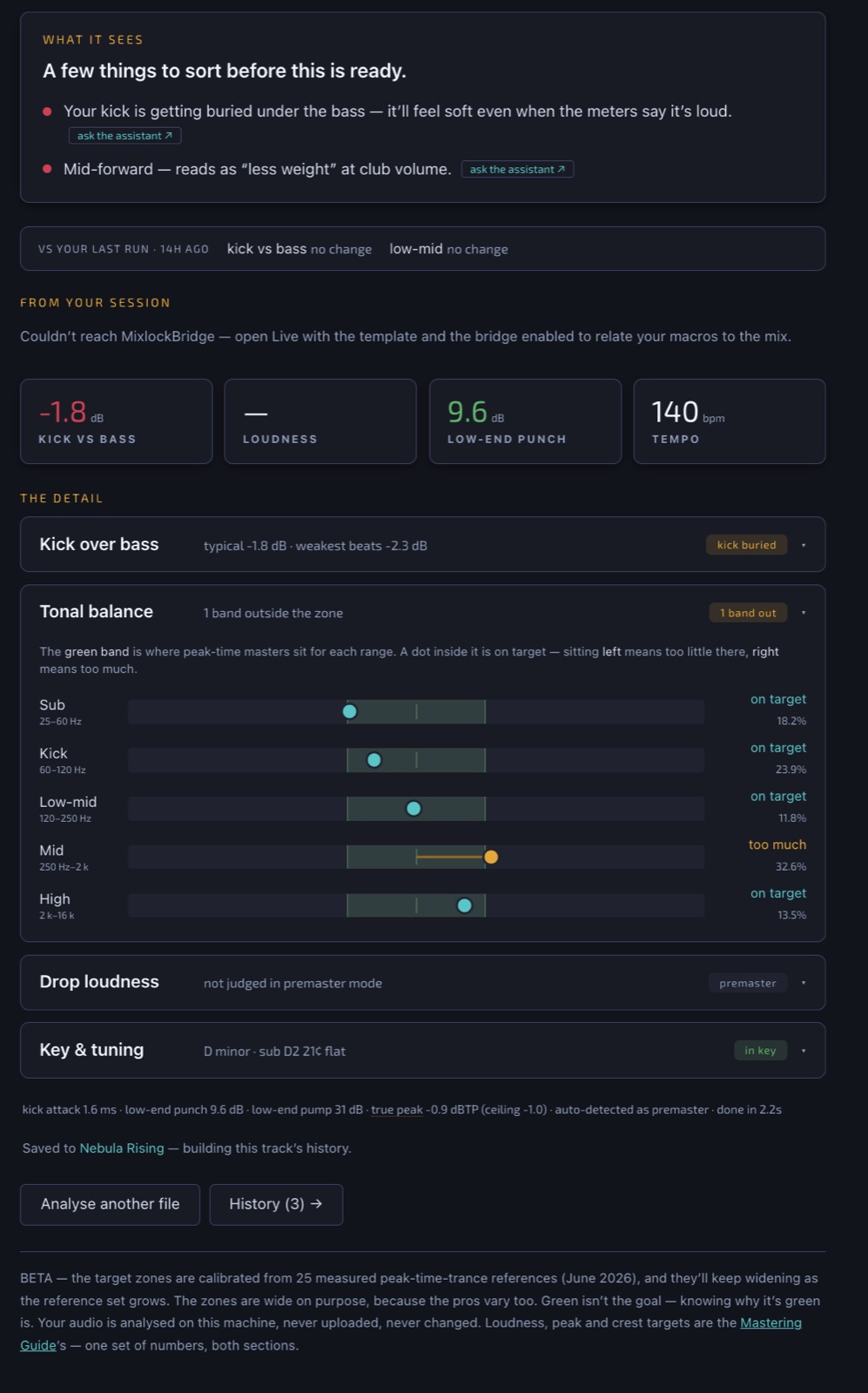
The Symptom Finder is the search-by-symptom diagnostic engine. "Kick disappears in the drop", "bass sounds thin", "lead feels harsh", "drop loses energy after the breakdown" — type it in, get back the channels involved, the causes, and the documented fix path. 300 problems mapped across the kick anchor, bass tier, drum group, music elements, FX/atmos, and master. Each problem links straight to the relevant encyclopedia entries and queues the fix into the active mix track.

300 problems Symptom search Channel mapping Fix queue integration
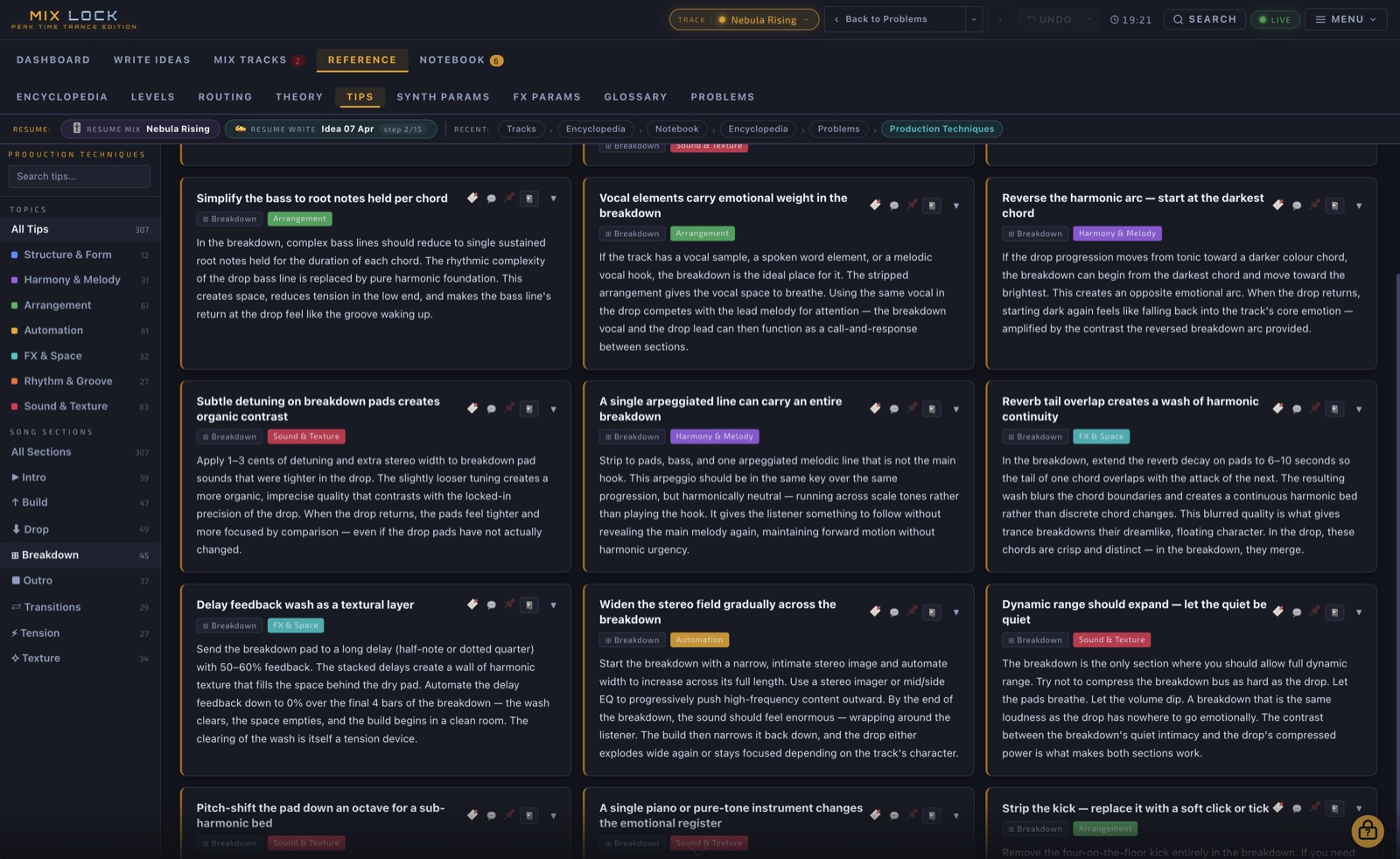
Production Techniques
Techniques

306 production techniques, organised by what part of the track you're writing.

Section-by-section production techniques — covering the eight phases every trance track passes through: Intro, Build, Drop, Breakdown, Outro, Transitions, Tension, Texture. Each technique is named, explained, and tied to the structural decision it solves. Not a generic tip dump — these are real, working moves used in modern peak time tracks.

307 techniques 8 song-section phases Tied to arrangement decisions
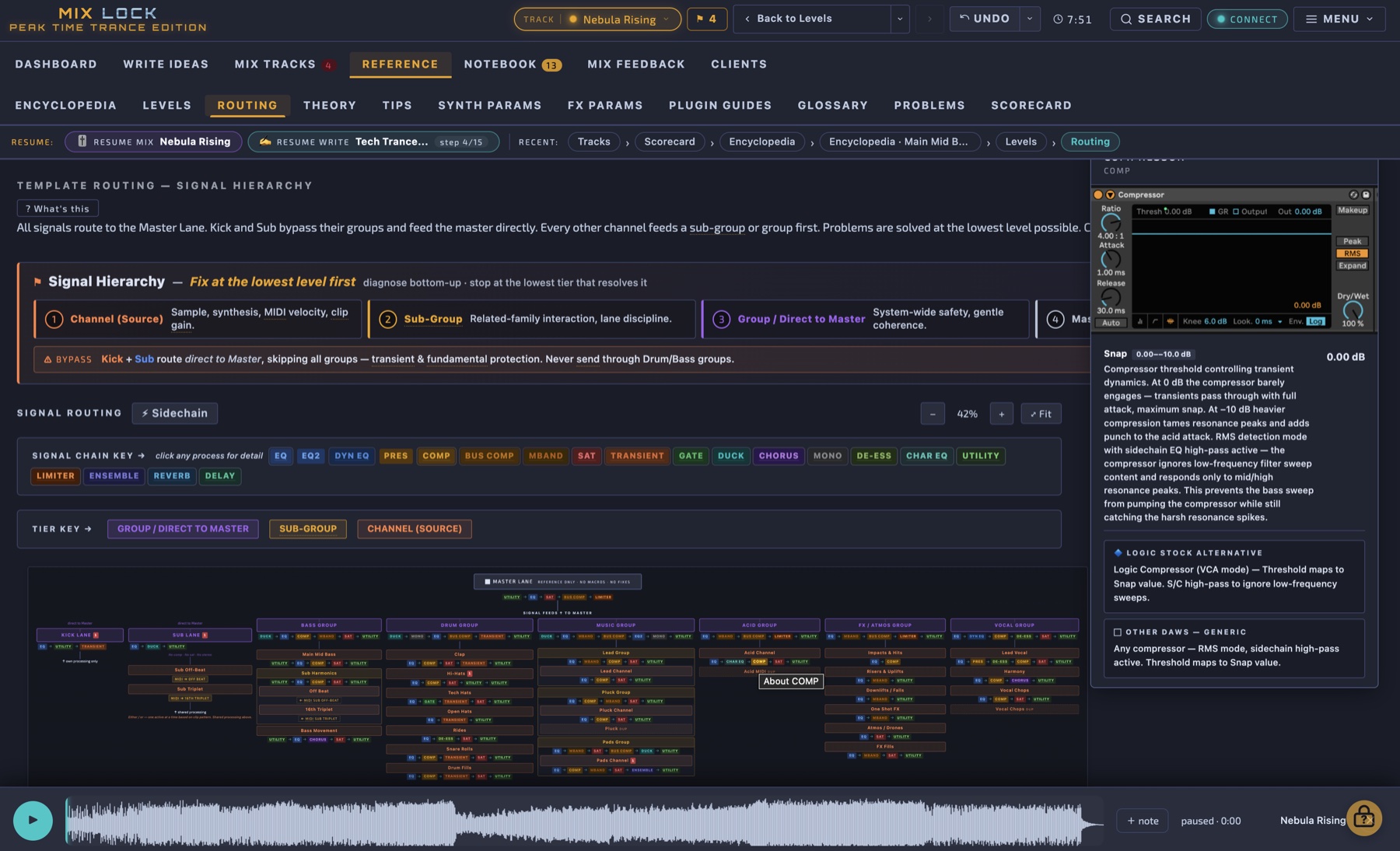
43-channel routing diagram
Routing

Full visual routing for all 43 channels.

The routing page is a single-page visual map of every signal in the template — kick, sub, bass tier, drum group, music elements, FX/atmos, and returns — through their group buses, sidechains, and sends, all the way to the master. Click any channel to jump to its encyclopedia entry. Hover any return to highlight which channels feed it. The whole signal flow at a glance.

43 channels mapped Sidechain visualisation 5 returns Click-through to entries
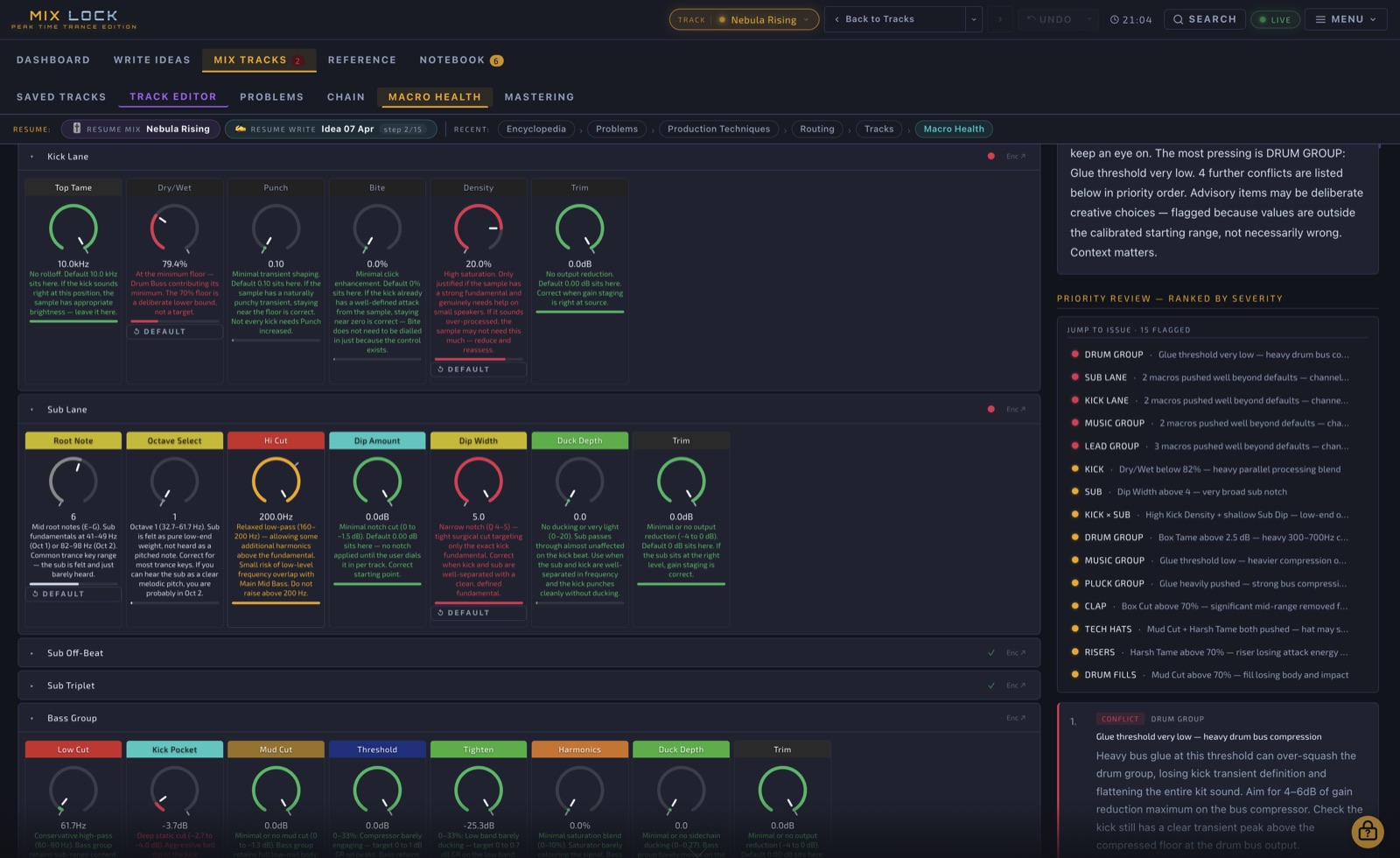
Macro health knobs with zone colours
Macro Health

See where every macro is — and how far you've drifted from default.

Every channel macro has a calibrated default. The Macro Health view shows where each one sits right now, with a coloured flag indicating distance from default: green (close to default — safe), amber (working — pushed for a reason), red (extreme — needs a justification). With the Ableton bridge running, the colours update live as you turn knobs in your DAW.

Calibrated defaults Zone colours (low/mid/high) Distance-from-default flags Live updates via bridge
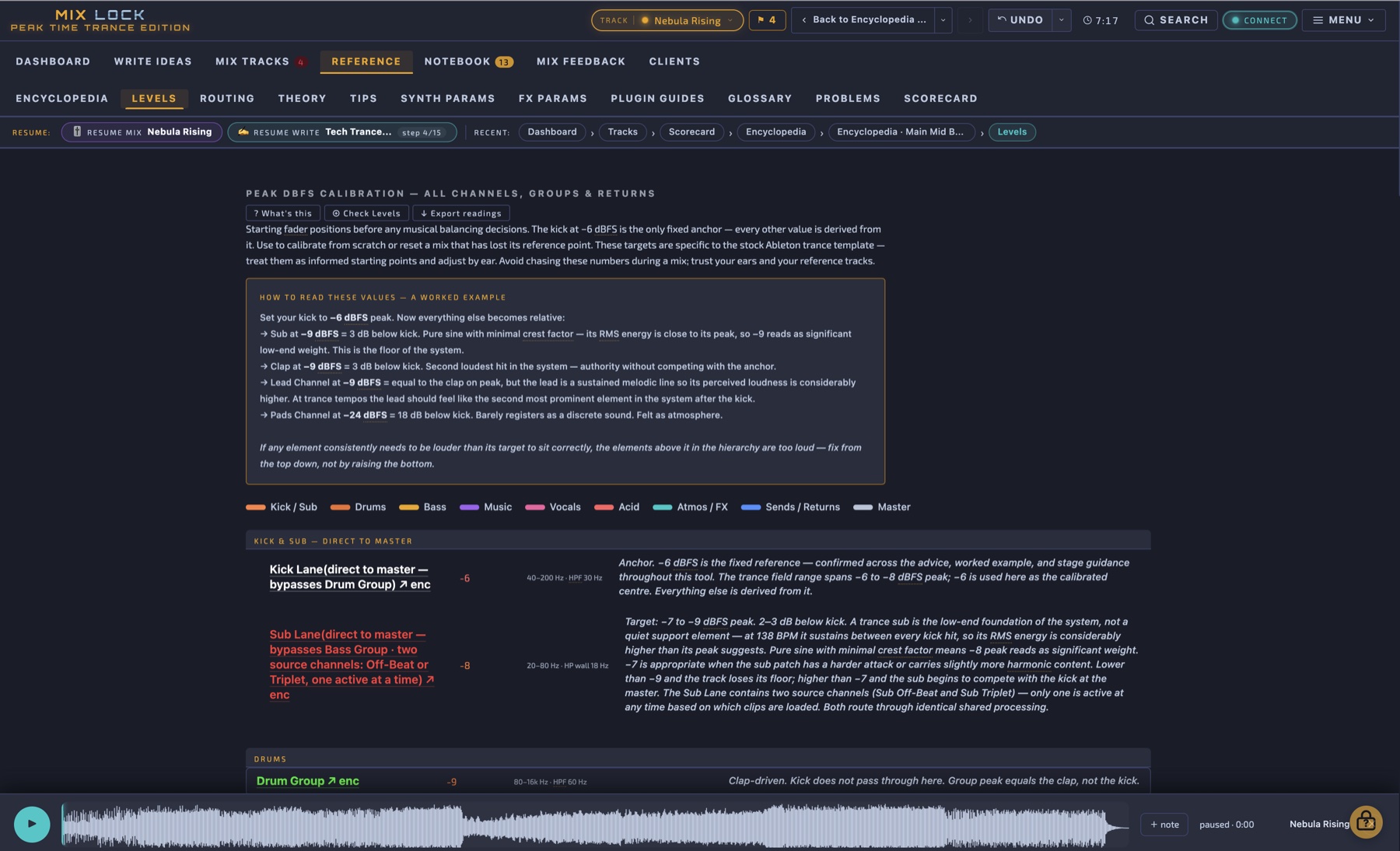
Levels reference table
Calibration

Target levels for every channel — peak, RMS, LUFS.

No more eyeballing. The Levels reference gives you the exact target values for every channel in the template, derived from analysis of professional peak time releases at 136–142 BPM. Per-channel and per-stage. Cross-checked against the master calibration so the whole mix arrives at the limiter at the right loudness without surprises.

Per-channel targets LUFS-S / Peak / RMS Stage-aware values
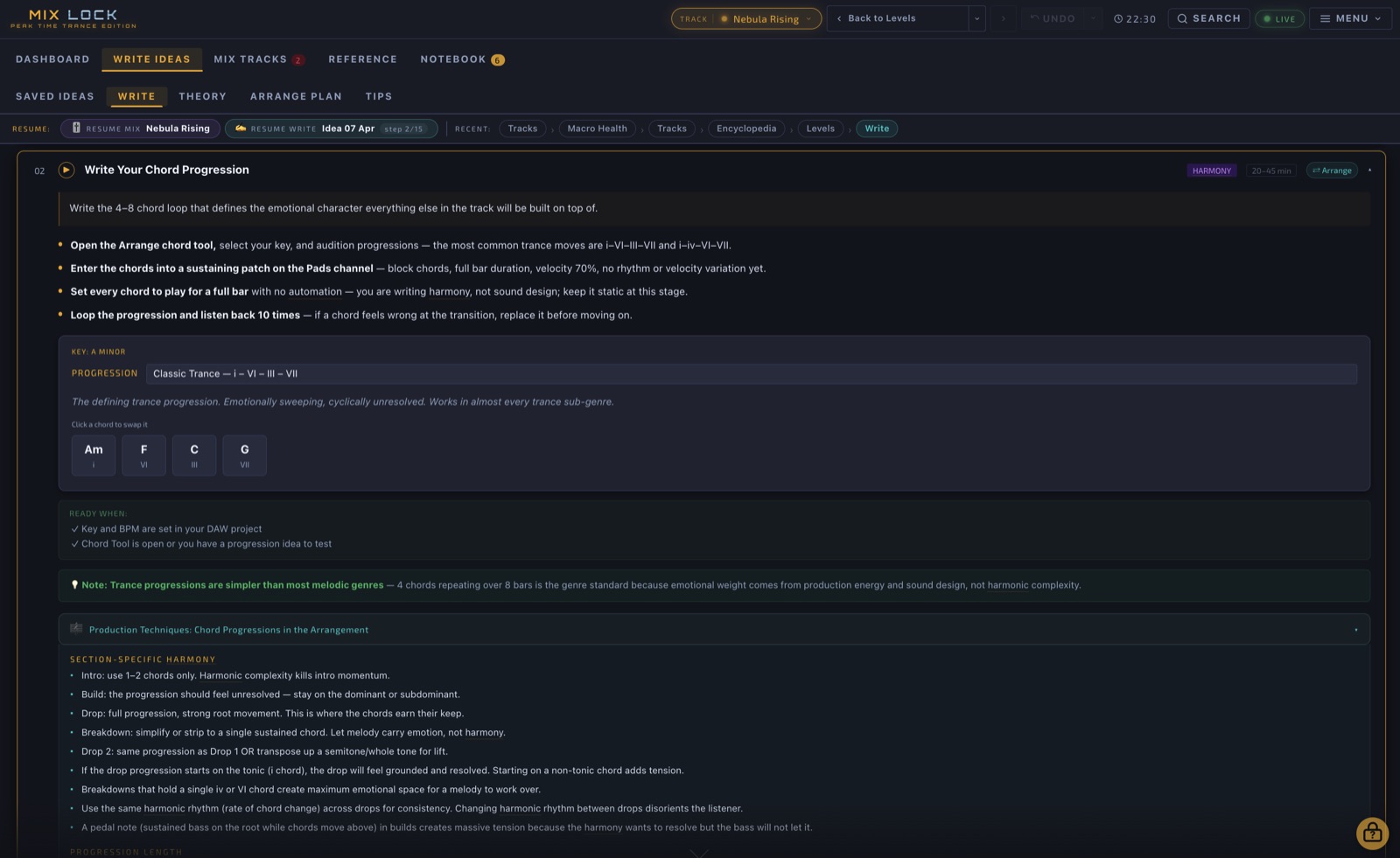
Write Ideas guided composition
Composition

15 guided steps from blank session to mix-ready idea.

The Write module guides composition the same way Mix Stages guides mixing — every step has trance-specific context, a sign-off condition, and a hand-off to the next. Key, tempo, scale work, drop design, arrangement section plan, DAW template setup, the sound-design starting points. When the idea is complete, one click promotes it into a mix track and unlocks Stage 0.

15 steps Per-step guidance DAW setup checklist One-click mix handoff
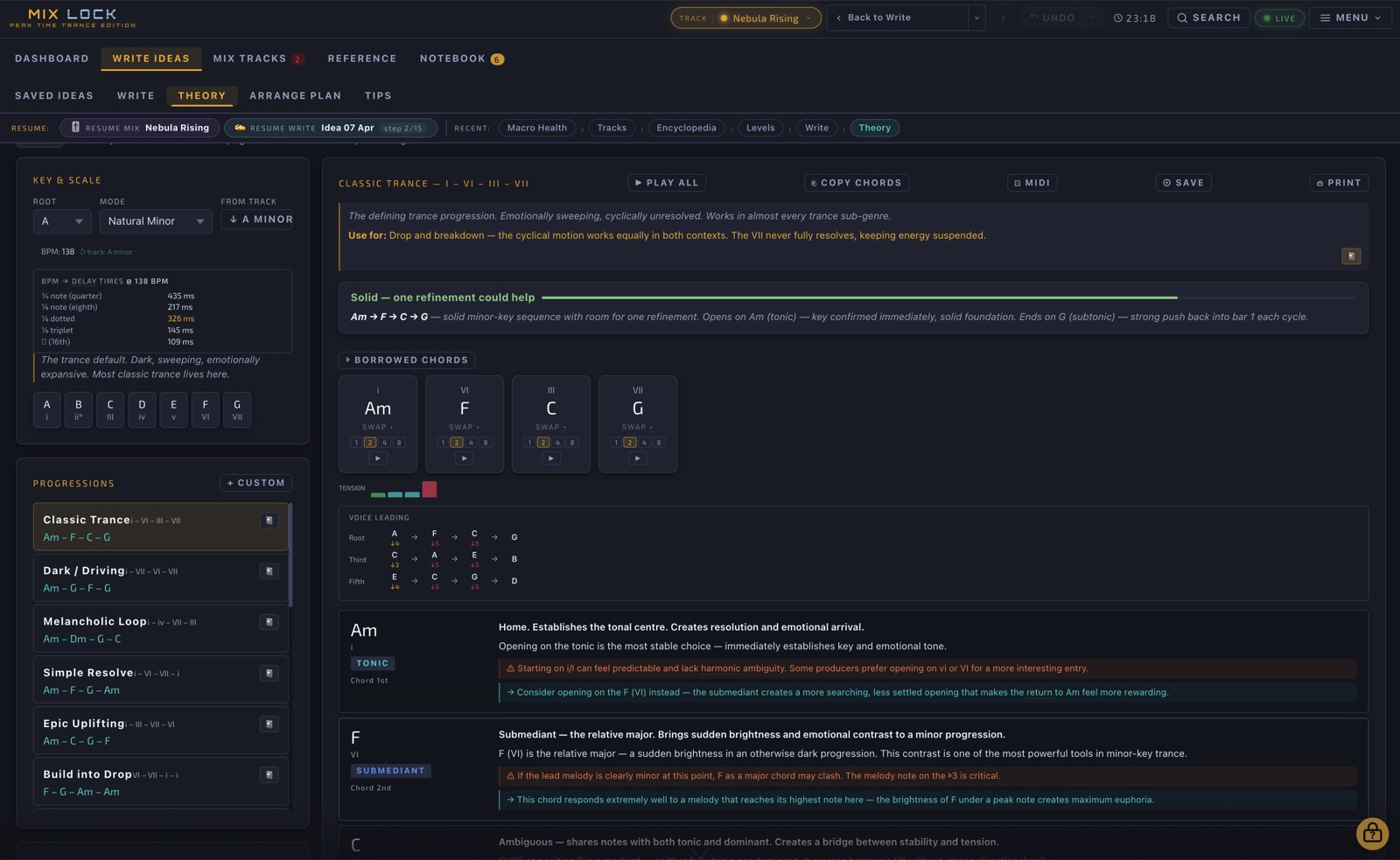
Theory Workpad
Harmony

Build a progression. Hear it. Export it.

The Theory Workpad picks key and mode, lets you choose from a curated library of trance progressions, and analyses every chord — function, voicing, emotional character. Set per-chord bar lengths. Preview through a supersaw pad. Export the result as MIDI directly into your DAW. The fastest path from blank canvas to a 4-bar progression that's musically defensible.

Curated progressions Harmonic analysis Supersaw preview MIDI export
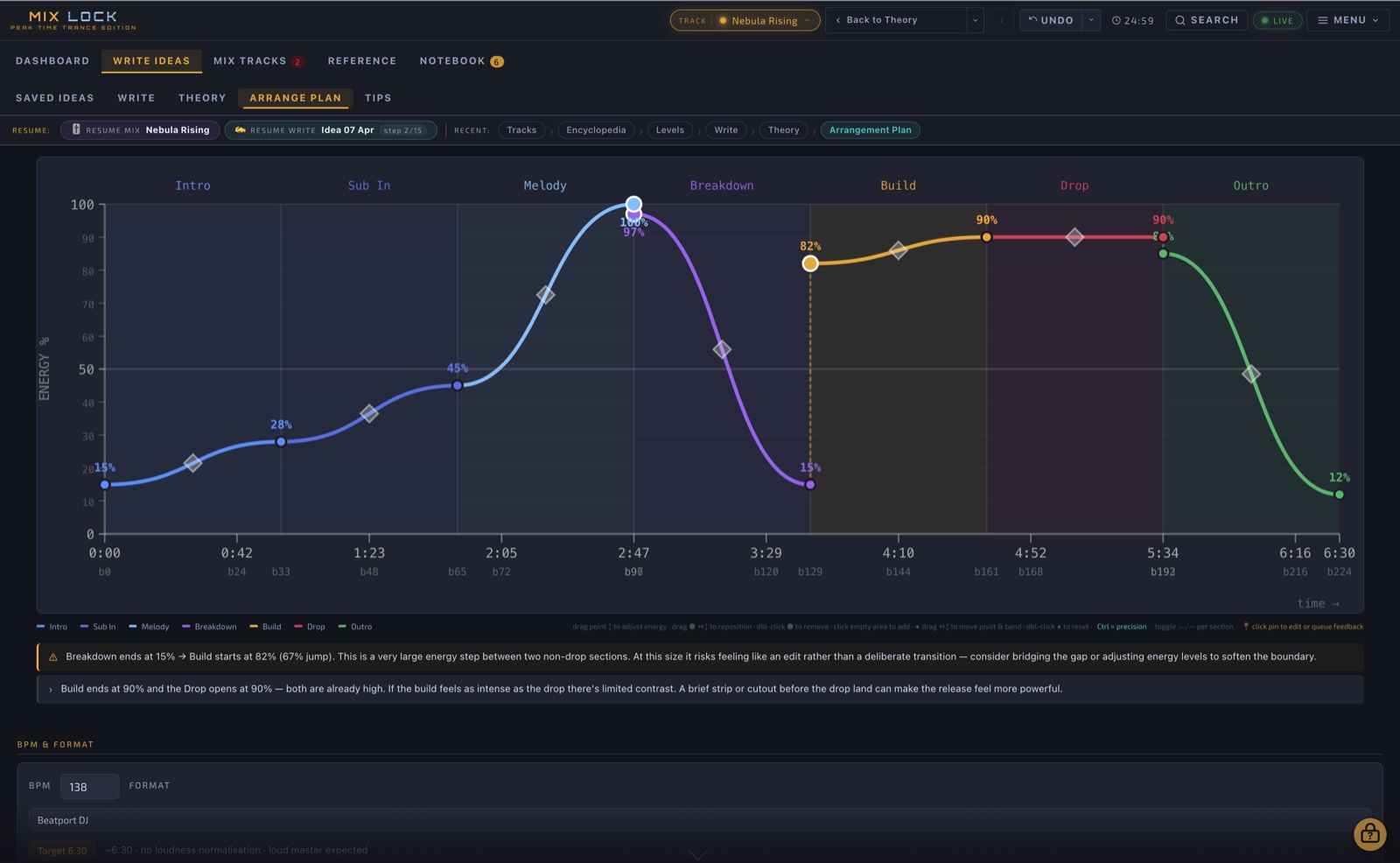
Arrangement Planner with energy arc
Arrangement

Plan the track shape before you commit to the DAW.

The Arrangement page draws your track's energy arc — the shape of intensity across intro, build, drop, breakdown, drop 2, outro. Map bar lengths, energy levels, and section transitions visually. Spot structural problems (drop too long, breakdown too short, no tension before the second drop) before they become baked into the audio.

Energy arc chart Section bar mapping Tension placement Format checker
Notebook / Binder for saved entries
Notebook

Pin what matters. Find it again instantly.

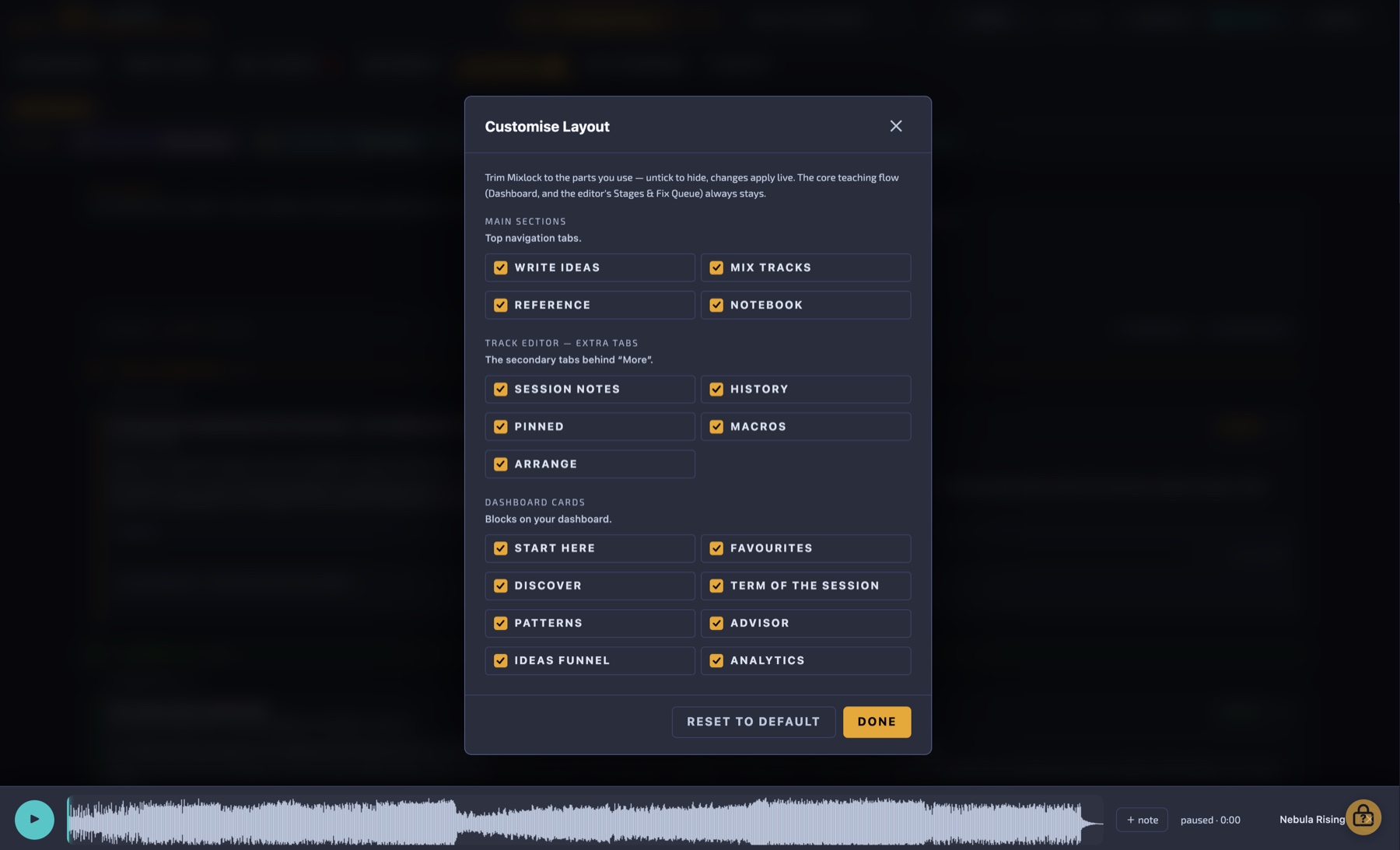
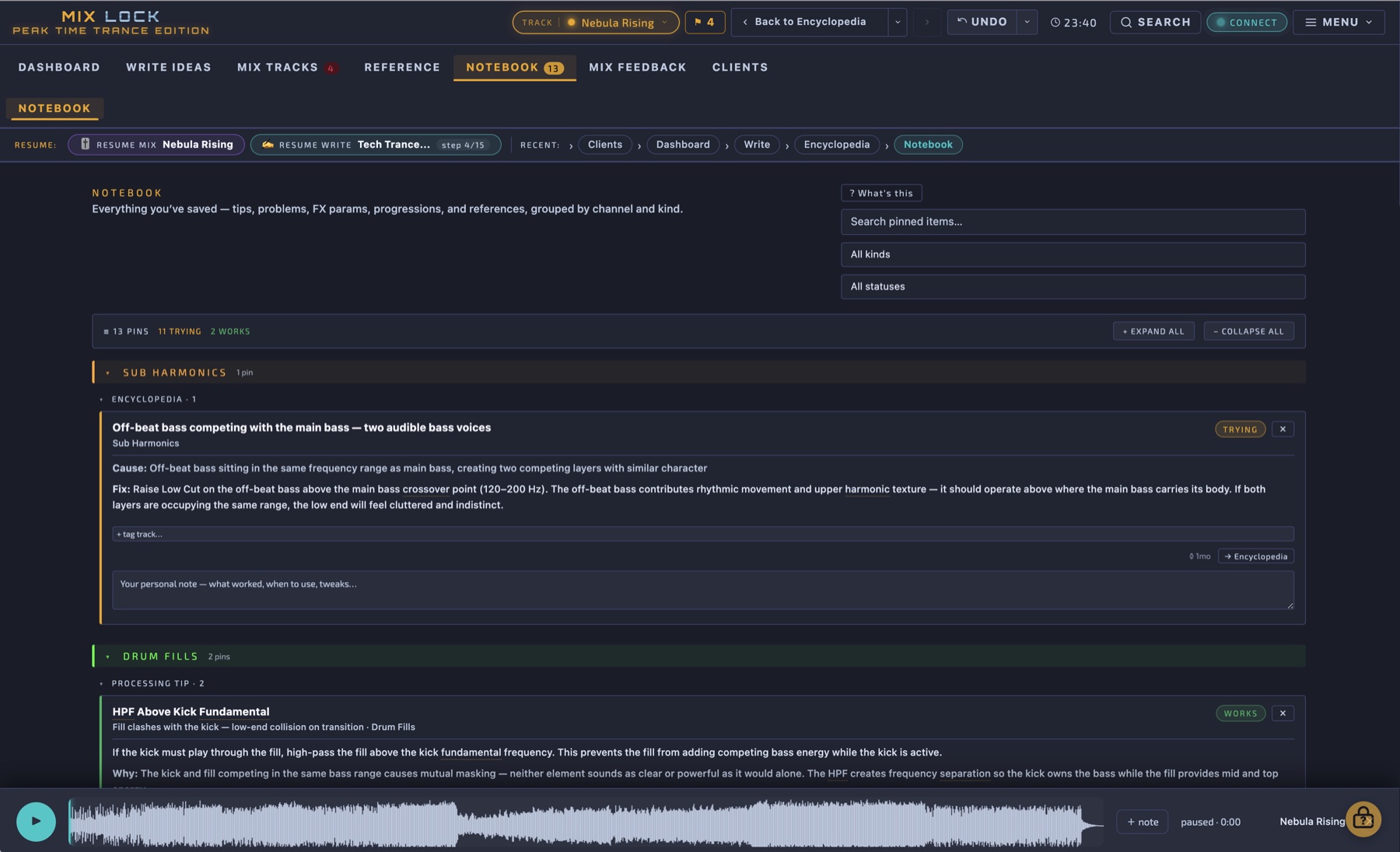
The Notebook holds everything you bookmark across the app — encyclopedia entries you keep coming back to, fix queue items mid-resolution, free-text notes about your own track. Grouped by track so when you reopen a session, you reopen its context. Persists across sessions, exports cleanly.

Pin from anywhere Per-track grouping Mixed content (entries + notes) Persistent across sessions
Resume chips and recent pages strip
Workflow Continuity

Pick up exactly where you left off.

Mix Lock remembers what you were working on across sessions. The header shows Resume chips for any active mix track or write idea — one click puts you back at the exact step or stage you stopped at. The Recent strip shows the last few pages you visited so you can backtrack your train of thought. Close the app mid-mix, reopen tomorrow, you're back where you were.

Resume mix tracks Resume write ideas Recent pages strip Back-history dropdown
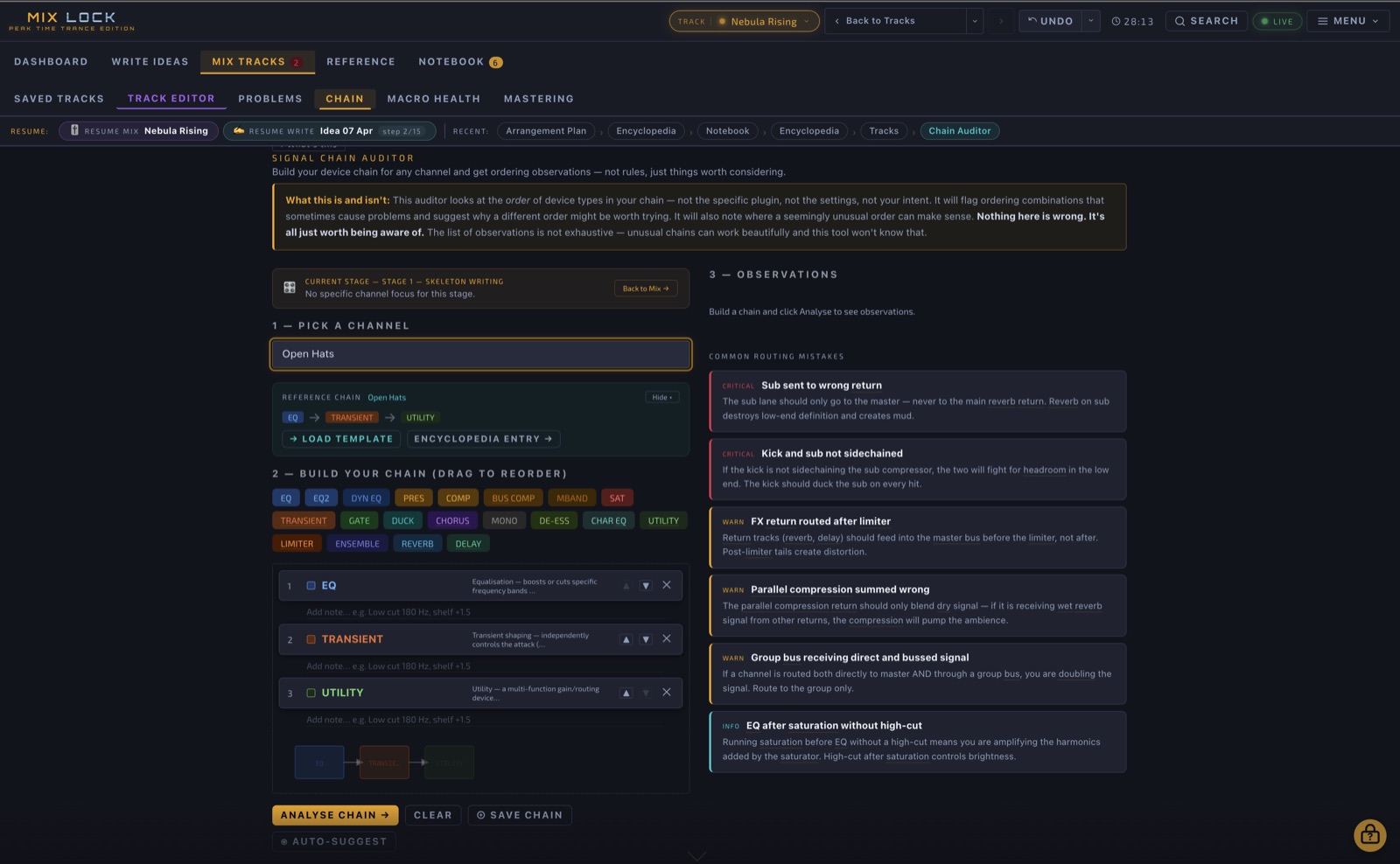
Chain Audit comparison
Auditing

Verify your session matches the template.

Chain Audit compares your current session's signal chain against the Mix Lock template, channel by channel. Spot missing devices, wrong order, swapped processors, missing macros. Catch the structural problems that cost hours at end-of-mix when something doesn't sound right and you can't tell why. Save your own chain as a custom variant if you've intentionally diverged.

Template comparison Per-channel audit Save custom chains
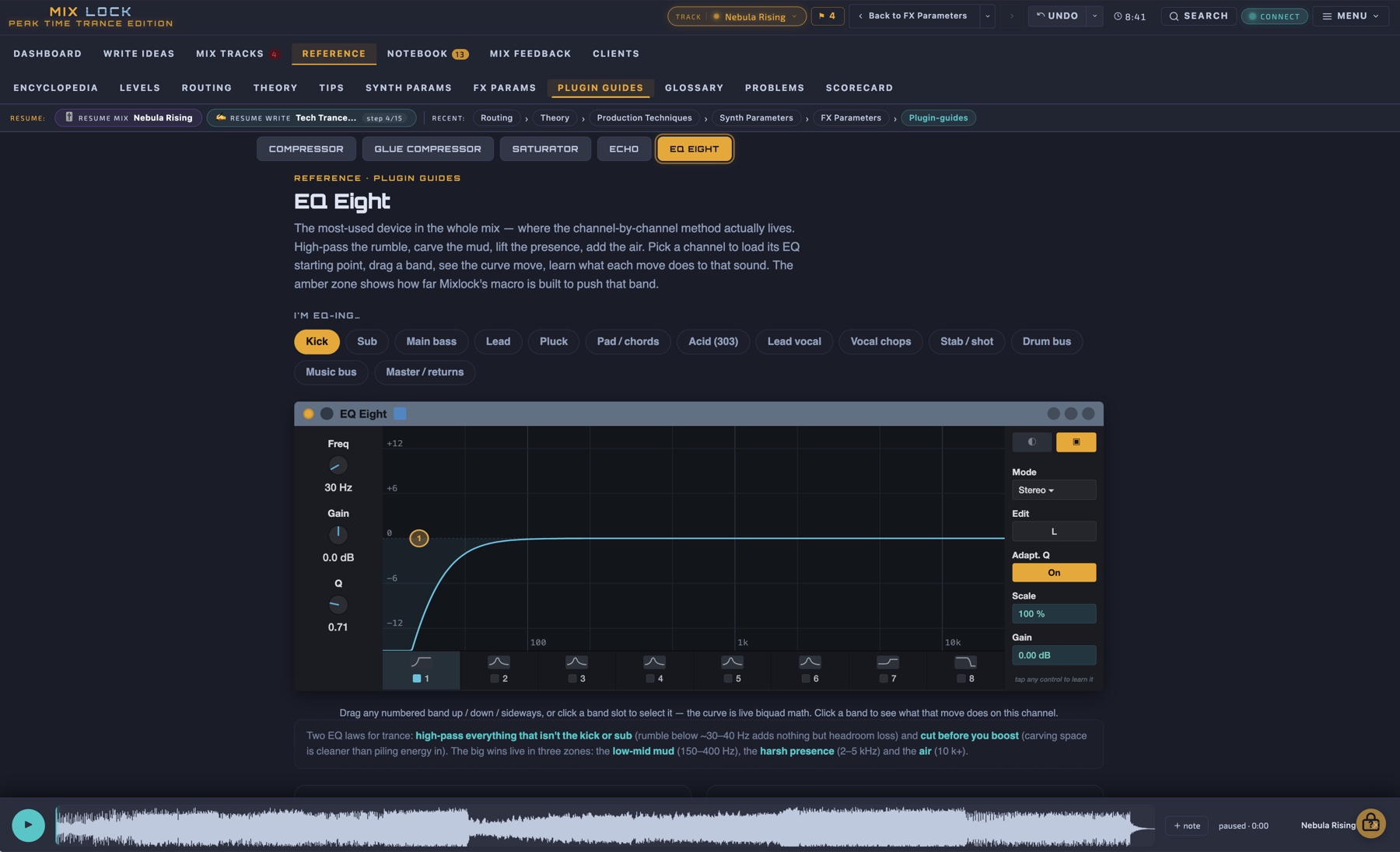
Synth Parameters Reference
Parameters

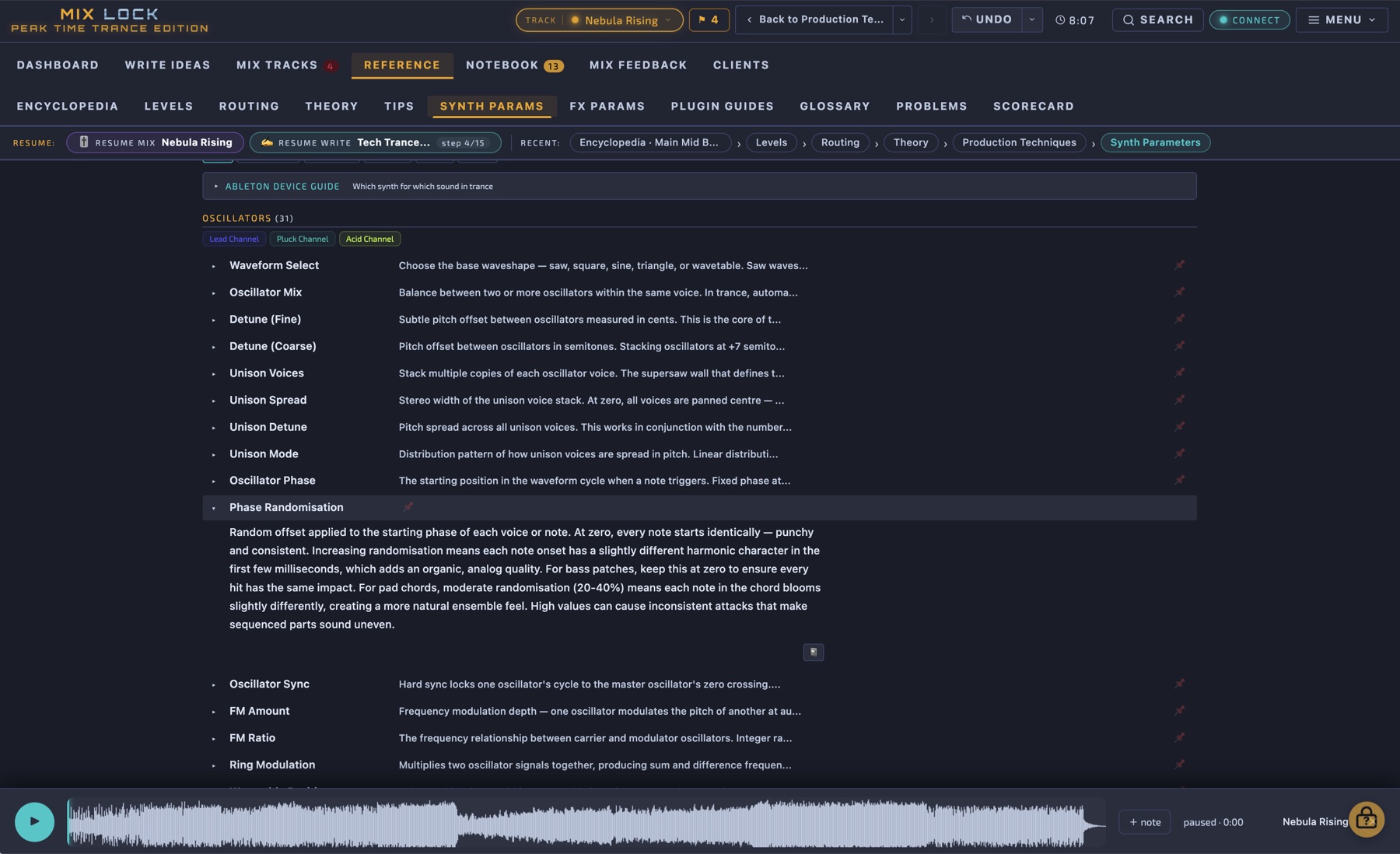
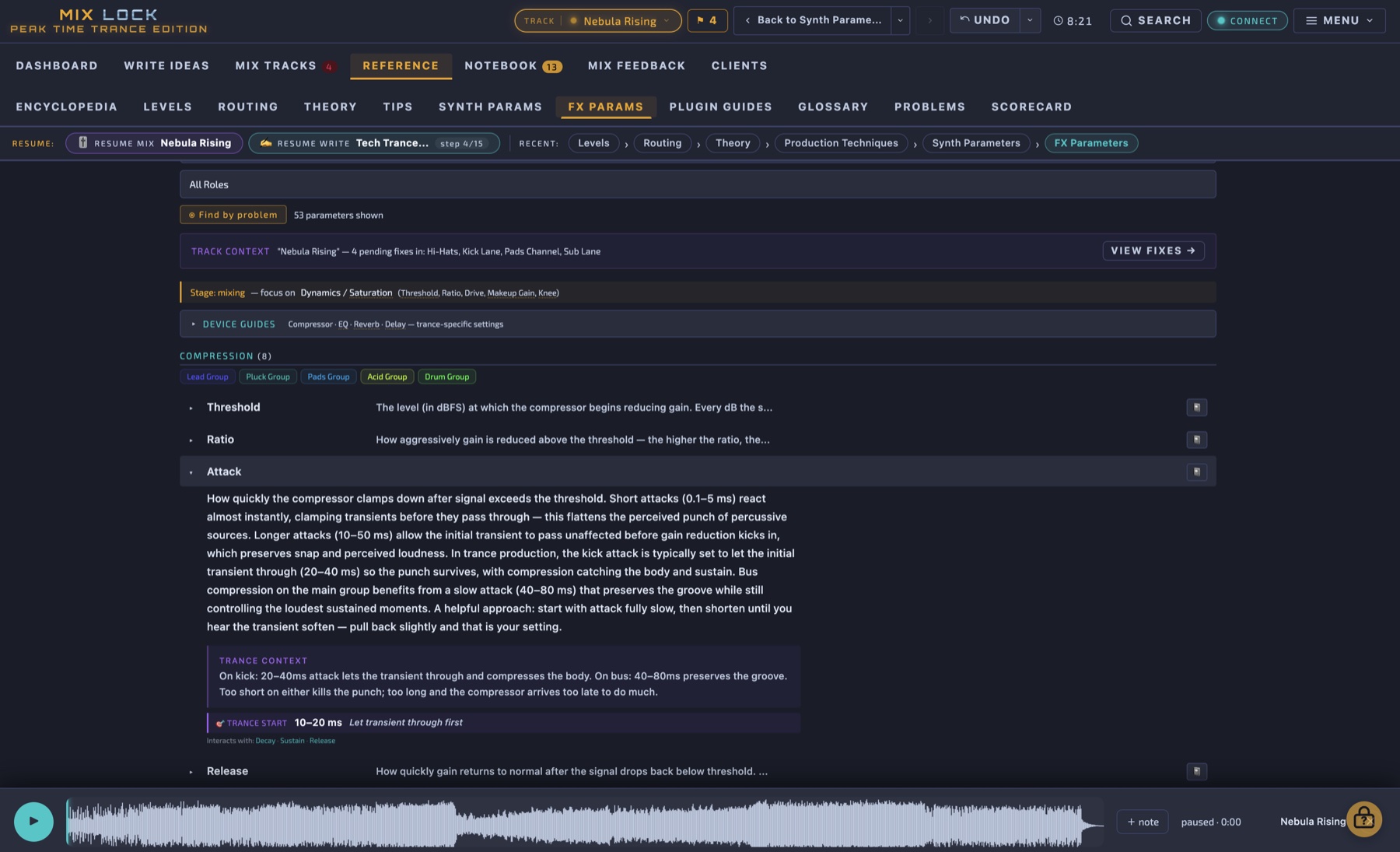
Synth and FX parameters explained for trance.

Every synthesiser parameter and every effect parameter, documented with a trance-context starting value and a description of how it interacts with neighbouring controls. Built for the moment you're tweaking a filter envelope and you need to know what "key tracking" actually does to the result. A reference book inside the workflow.

Synth parameters FX parameters Trance starting values
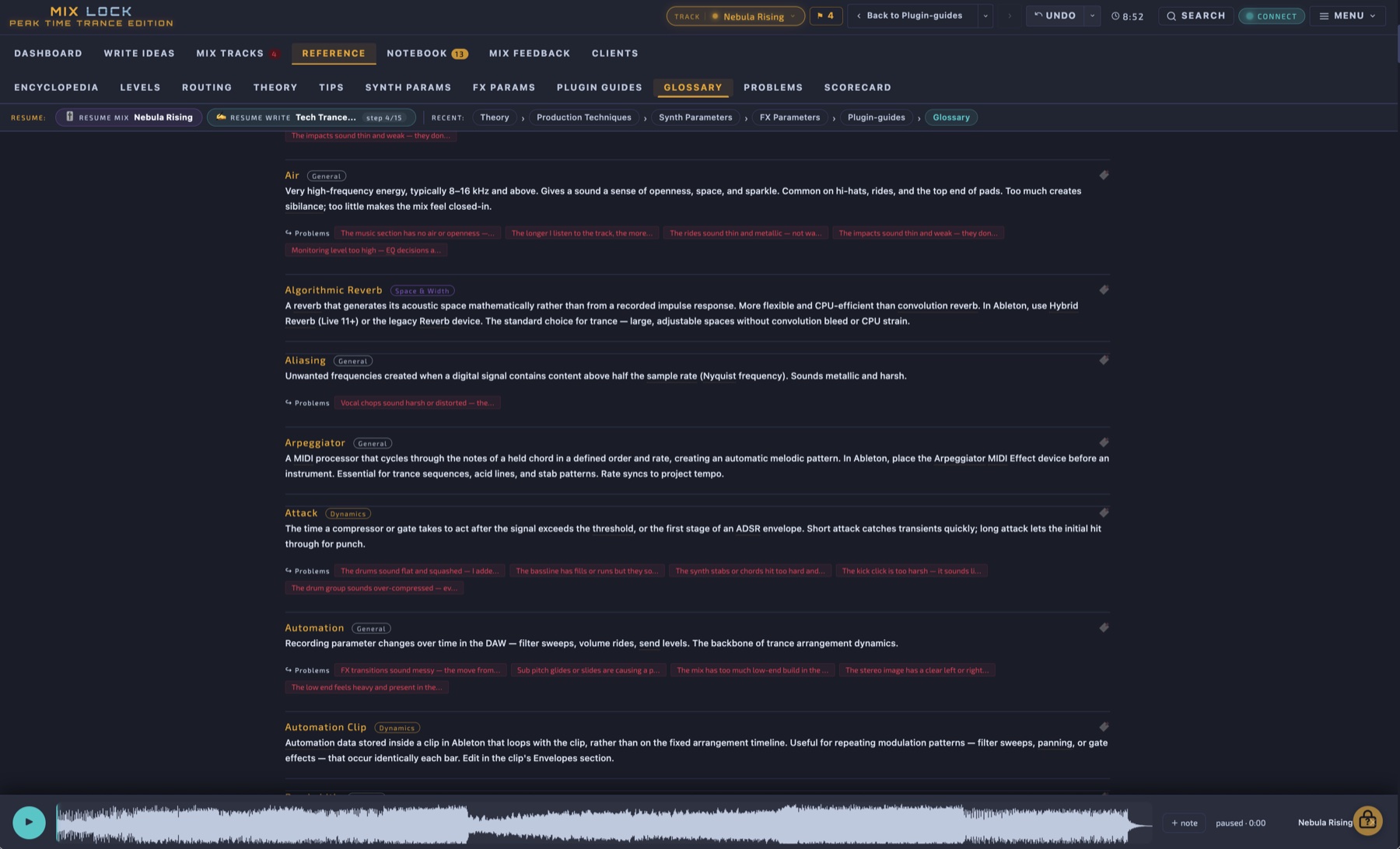
Glossary
Glossary

217 production terms — defined for this template, this genre.

Production and engineering terms explained in the context of this system, not in generic textbook language. Look up any term, see the definition, and click through to where it's used in the encyclopedia. Available everywhere in the app — a glossary tooltip appears whenever a glossary term is mentioned in any other page.

217 terms Trance-specific definitions Inline tooltips everywhere
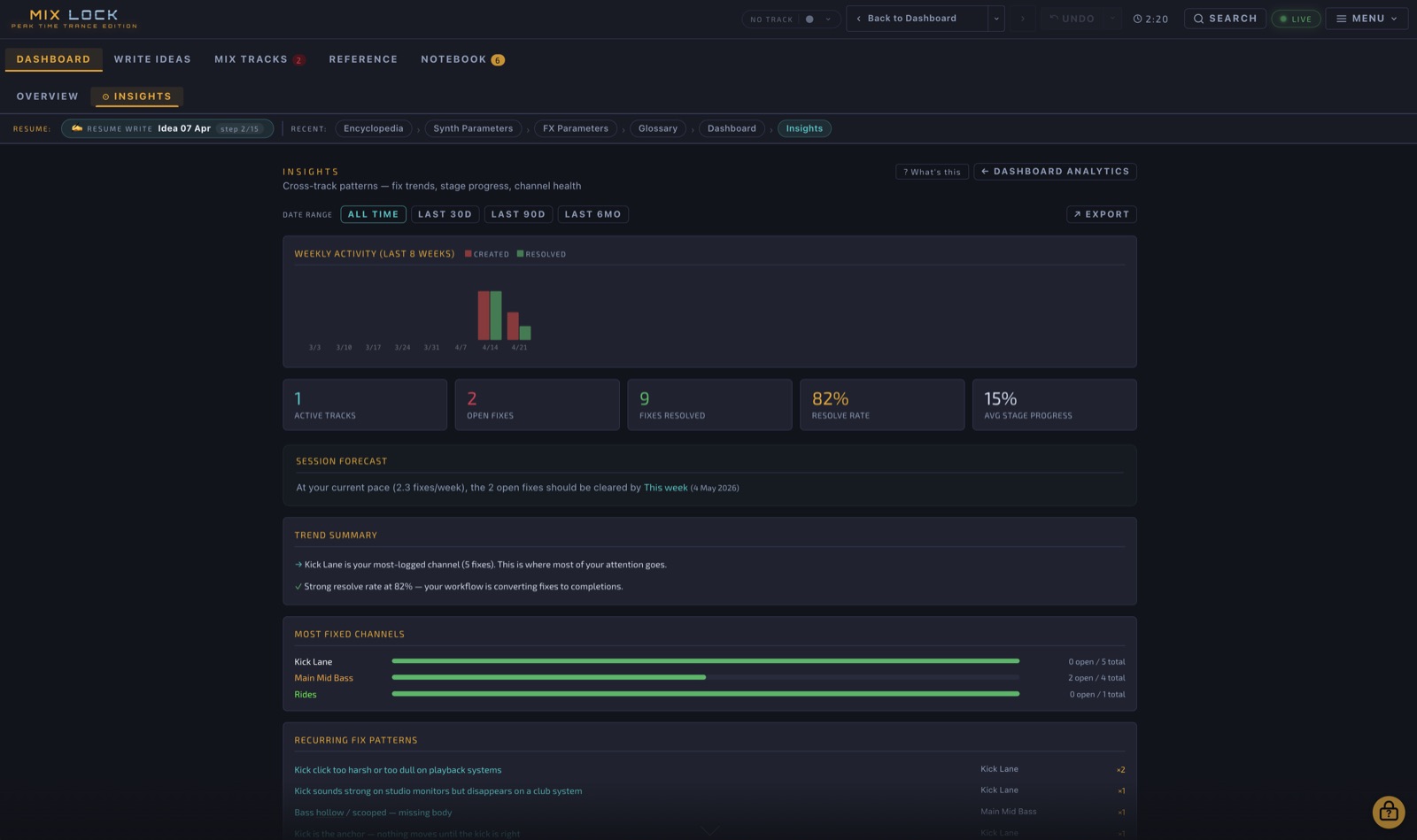
Insights
Insights

Learn from your own mixing history.

Insights tracks how long you spend in each stage, which problems repeat, how your fix-rate changes over time, and where you get stuck. Mix-after-mix you build a personal record of how you work — and the patterns get hard to ignore. The kind of self-knowledge that's the actual unlock between competent and consistent.

Stage-time breakdown Recurring problems Fix resolution rate Per-track history

Inside Mix Lock

Select a tab — this mirrors how the app is laid out. Click any screenshot to view full size.

Mix Lock — Peak Time Trance Edition
Dashboard
Dashboard — Overview
Session Dashboard

Your session at a glance. Current track, active mix stage, and quick navigation into any module from one screen.

Click any screenshot to view full size  ·  All modules shown are inside the app

DAW Compatibility

Mix Lock works with any DAW. The Ableton Live integration is the deepest — a live bridge plus the full template. Other DAWs get the full reference and parameter values to rebuild the template natively.

🎚
Any other DAW — FL Studio, Cubase, Studio One, Bitwig, Reaper…
Mix Lock documents every processor setting, signal chain, and parameter value in full — enough to recreate the template in any DAW using your own plugins. The encyclopedia, problem diagnostics, production techniques, and AI assistant work the same regardless of which DAW you're driving. Native template ports for FL/Cubase/Studio One are on the post-launch build path. Join the mailing list if you want to be notified when those land.
FULL SETTINGS REFERENCE INCLUDED
🍎 macOS 12+ (Apple Silicon native) 🪟 Windows 10+ 🔒 Works fully offline (except AI assistant) 🔑 Lifetime licence · 2 machines 📦 ~110MB Windows · ~210MB Mac universal

Pricing

One licence. Everything included.

⚡ LIVE NOW. £89 lifetime licence — 2 machines, all future updates included. Launch-week founders save £40 with the code below.

⚡ FOUNDER OFFER · Launch week
Save £40 with code FIRST50
First 50 copies or until 31 May 2026 — whichever comes first.
Apply FIRST50 at checkout to drop the price from £89 to £49.
  • £40 off the lifetime licence
  • Founder discount on every future Mix Lock genre edition (Techno, House, and beyond)
  • Listed in the in-app Founders panel — opt-in, first name only, no email shown
Apply FIRST50 & pay £49 →
Mix Lock 1.0 — Peak Time Trance Edition
£89
one-time · lifetime licence
  • Full Mix Lock Trance Edition app
  • Ableton Trance template included
  • MixlockBridge — live macro mirroring
  • Mac (Apple Silicon + Intel universal) + Windows
  • Licence for 2 machines
  • All future updates included
  • Loyalty discount on future genre editions
Buy Mix Lock 1.0 → £89
Live now — buy above Hidden when launch flag is "live"; visible only as a fallback if launch flag is reverted to prelaunch

System Requirements

⚠ Please check your setup against this list before buying. Mix Lock is a one-time digital purchase — once activated, refunds aren't possible if your system is below spec.

macOS
macOS 11 (Big Sur) or later · Apple Silicon + Intel universal · 4 GB RAM (8 GB recommended) · ~700 MB disk
Windows
Windows 10 (build 1809) or Windows 11 · 64-bit · 4 GB RAM (8 GB recommended) · ~700 MB disk
Ableton Live (for the bridge + template)
Ableton Live 11.3 or later, Standard or Suite (Live 12 fully supported). Live Intro lacks some stock devices used in the racks.
Required free plugin
Caelum Audio Flux Mini 2 (free, no account) — the DUCK device used on Sub, Bass, Pluck and several other channels.
Internet
Required once for licence activation. Mix Lock works offline thereafter (silent revalidation roughly weekly with 30-day offline grace).
Other DAWs
Mix Lock runs standalone on macOS / Windows. The bridge + template are Ableton-specific; for Logic / FL / Cubase / Bitwig / Studio One / Reaper, every parameter value is documented so you can rebuild the chain natively.

⚡ Live now. Secure checkout via LemonSqueezy · Mac & Windows · Lifetime licence · Contact

Future genre editions (Techno, House, etc.) are separate purchases — existing licence holders receive a reduced rate at checkout.

What's new in Mix Lock

Every release, every fix, dated. If you're a Mix Lock customer, your existing licence key activates every future version — re-download from your original purchase email at any time to get the latest build.

v1.0.1 2 May 2026 Patch

Listening Cues panel now refreshes live from Ableton

Fixed a bug where the "Listening Cues" combination panel at the bottom of each channel's macro section did not refresh automatically as macros changed in Ableton. Individual dial values updated correctly, but the bottom combo panel stayed stale until the user manually touched a Mix Lock dial. The bridge update path now refreshes the combo panel as it should have from the start.

For existing customers: re-download Mix Lock from your original purchase email — the same link now serves v1.0.1. Your licence key activates the new build unchanged. Saved tracks, ideas, fixes and notebook persist.

v1.0 2 May 2026 Launch

Mix Lock 1.0 — Peak Time Trance Edition launched

First public release. Desktop mixing system for peak-time trance at 136–142 BPM with a live one-way bridge to Ableton Live. 43-channel template, 13 gated mix stages, 400 encyclopedia entries, 306 production techniques, 300 documented problems, 4-level Macro Health diagnostics, Chain Audit with deviation justification, theory + arrange + write composition tools, AI assistant, full-state notebook backup. Mac universal + Windows. Apple notarised, signed installer. Lifetime licence, 2 machines per key.

Found a bug or have a feature request? Use the in-app reporting tools (Help → Report a Bug / Feature Request) or email mixlockadmin@gmail.com. Every bug report is read personally and patched within 72 hours of receipt where possible.

✦ Exclusive Subscriber Offer

Subscribe for a 10% storewide discount

Subscribe to get 10% off anything in the store. Tell us a bit about yourself — we use this to shape what we build next.

Please enter a valid email address.
Please select your DAW.
Please select an option.
Please tick the consent box to continue.

Discount terms: 10% off one Mix Lock licence. One code per person, one use per purchase, single redemption only. Cannot be combined with any other offer, promotion, or discount. Valid until 31 December 2026. No cash value.

You're on the list

Check your inbox — we've sent a confirmation email. Once you confirm your address you'll receive your 10% discount code by email.

Check your inbox

Not arrived? Check spam. Code is valid for one purchase only.

Coming Next
Mix Lock Techno Edition

A completely separate system built for the rhythms, textures, and compression-heavy mix decisions that define modern peak time techno. Different rules. Different workflow. Same depth.

Notify me when it drops →